Thanks for the comments! Minimal design was very much on my mind since I tend to get carried away trying to do (semi-)elaborate art assets that just burn time needed for making something actually playable. For this jam, I didn't have that luxury since I started so late... The plan was for the key assignments to randomly change with every level (in currently unreleased version blocked by embargo) and yes, it should only allow one (or two -- I like that idea) paddles at a time to activate.
oofoe
Creator of
Recent community posts
I'm not quite sure what the "assistance" being provided is supposed to do, but the satire is on point.
In a completely unrelated incident, I had an enlightening discussion today with a customer service rep for a certain online platform. I wanted to turn off the slow and useless "AI Overview", but he was quick to assure me that it couldn't be disabled. Sigh.
Interesting re-use of the movie footage. I especially liked the title cards.
Would have been nice if the type-ins had some setup or a bit of context. I got through most of them with the old printer's rubric: "ETANORISHDLF..." ; - ) Also, even though the game tells you about the border colour thing, a more affirmative indication that it's ready for input could be helpful, especially because of the different actions required.
Hi! Thanks again for your help! I got it working: https://oofoe.itch.io/puz15
(password "puz15" -- I just don't want it showing up on my profile yet because not finished.)
Another question, if you're willing... I'm trying to use the array language capabilities to figure out if there's an opening to move a tile into by vector adding to get the orthogonal neighbours:
np:2 window (p,p,p,p)+(1,0,0,1,-1,0,0,-1)
Then I get the contents of my tracking map (canvas that I write the actual tile positions into) at those positions to determine if one of the neighbouring spaces is empty (=0):
0=map@np # Yields something like (0,1,0,0)
I know that a lot of array languages have some kind of operator to filter one array by a boolean other, so I could apply the result of the 0=map@np to np and arrive at just the coordinates of the empty space (or nil, if no empty space in neighbours). Currently, I'm grovelling through with an each loop -- is there a way to one-shot the operation like that?
Thanks!
Okay... So I guess this is the relevant bit in the manual:

I thought that ".event" was just a dictionary, not actually a function (method?) that was taking event names(and optional arguments) as its arguments. Obviously, I need to read more carefully... Thanks very much for pointing me in the right direction!
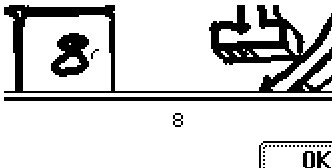
With that resolved, I think I'm getting very close to the endgame here!
Passing arguments with event calls from Contraptions?
Hi! I was going through the "Breakout Three Ways" tutorial, and decided I wanted to make my own game-like object. I have an array of tiles (Contraptions from a Prototype Tile) and when the user clicks one, I want it to pass the tile's label (kept in a hidden field) to the top level Card script. That top-level script looks like this:
on moving which do alert["Yes, this is the card top level."] alert[which] end
So, the event should be "moving[]" which accepts an argument (`which`), right?
So, in my Prototype, I have this script attached to the invisible button that makes up the tile's face. The "which" field is hidden, keeping track of the label for the tile:
on click do card.parent.event.moving[which.text] end
This is based on the "Breakout" example, but none of the Card level event handlers take arguments, so I'm trying to supply the argument as I would with a regular function. I've also tried without the brackets and using literal strings or numbers instead of the text from the hidden "which" text field. And every time, all I get is zero, or null or empty (with event handler code above).
Can someone give me a hint on where I've gone wrong? This seems to be a reasonable way to call the event (other events seem to do it?). But if I can't get it to work, I'm going to have to do something stupid like set a flag on the Contraption and call the event and have the handler grovel through all the widgets to find out who's got the flag set. I guess if it works, it's not stupid, but it seems inefficient since I know what tile is raising the event?
Thanks!
Took me a bit to figure out what was going on (because I don't read instructions), but really gelled once I figured it out. Compelling loop, good music, graphics simple but with a nice feel. Really liked the idea of having angled planes on the "flipper ship" to bounce in different directions. Second the call for keyboard rotation controls. I think it might be interesting (if you haven't tried it already) to see how it works with the standard asteroids controls, which would take care of position and rotation as well as being more "spacy"... If you really want to excite the nostalgia factor, suggest vector (instead of pixel) text.
As a REBOL-refugee, Janet is the first place I've really felt at "home" (although it could totally use a built-in cross-platform declarative GUI...). PEG is great to have handy, and Jester is basically the outcome of a mad evening of "hey... if I did this, then I could also do that..." . I've since learned that there's a complete Janet-syntax PEG here not to mention the `parse` function which just handles a lot of the heavy lifting for me. So, once I finish my next project... there will probably be some new developments.
Thanks for taking a look!