I'd take #1. Always worth waiting for good artm but I don't believe it would add 10x lag unless it was programed wrong. That said you do things tastefully and the invisible walls don't drive players crazy and they exist. Lushfoil Photography Sim is a great example. It has plenty of invisible walls, but they're rarely annoying. like the ones in Eastshade were.

pixeldrop
Recent community posts
Cool, I'll keep a better eye out then. I originally bookmarked this 1265 days ago according to my bookmark manager. Thinking I'd pick it up on sell or a bundle at some point since one day I'd like to mess around with making a PSX style unreal game.
Though I'm in no hurry since I figure it's just a purely personal fun hobby thing. At least I don't assume PSX style games actually sale all that well. Haven't actually done a lot of market research on them, but I sure don't see very many in my indie game playing experience.
I have a 4K screen, the GUI scaling only goes up to 1.99x if you go to 2x it gives you an error "invalid panel layout" and something else but it flashes on screen to fast for me to see.
It also randomly resets itself back to 1 when resizing the window...
So for now I turned it to 1 and then turned on System [Enhanced] DPI compatibility for it in windows and it works fine.
Thanks for the update post! I only come back to check for updates every so often, but it's always nice to see that something awesome like Union Bytes is just in limbo due to life and not dead. Kids, especially young ones can certainly bring life to a halt for a few years. Thankfully classic art styles like what Union Bytes is working with is timeless.
Totally forgot I bought this while using godot, then I moved to Unreal... saw it in my library thought I'd click through just for fun. Looking at it more I suppose it's a universal tool, though I really only used with with the Godot Dialog system... Any one actually know a good work flow for actually using it with Unreal?
I realize this is not really a great question so feel free to ignore it, but I've dreamed of making a MegaMan Legends clone since playing the original game in the 5th grade.
Life's finally at a point where I can start working on it, any tips or important lessons you've learned you'd be willing to share? [especially on the visual creation side]
As a P/s I've always liked how casual MML was so I plan on making a much easier game focused more on metroidvania style exploration more than hard combat so I don't think I'm a risk to your audience at all.
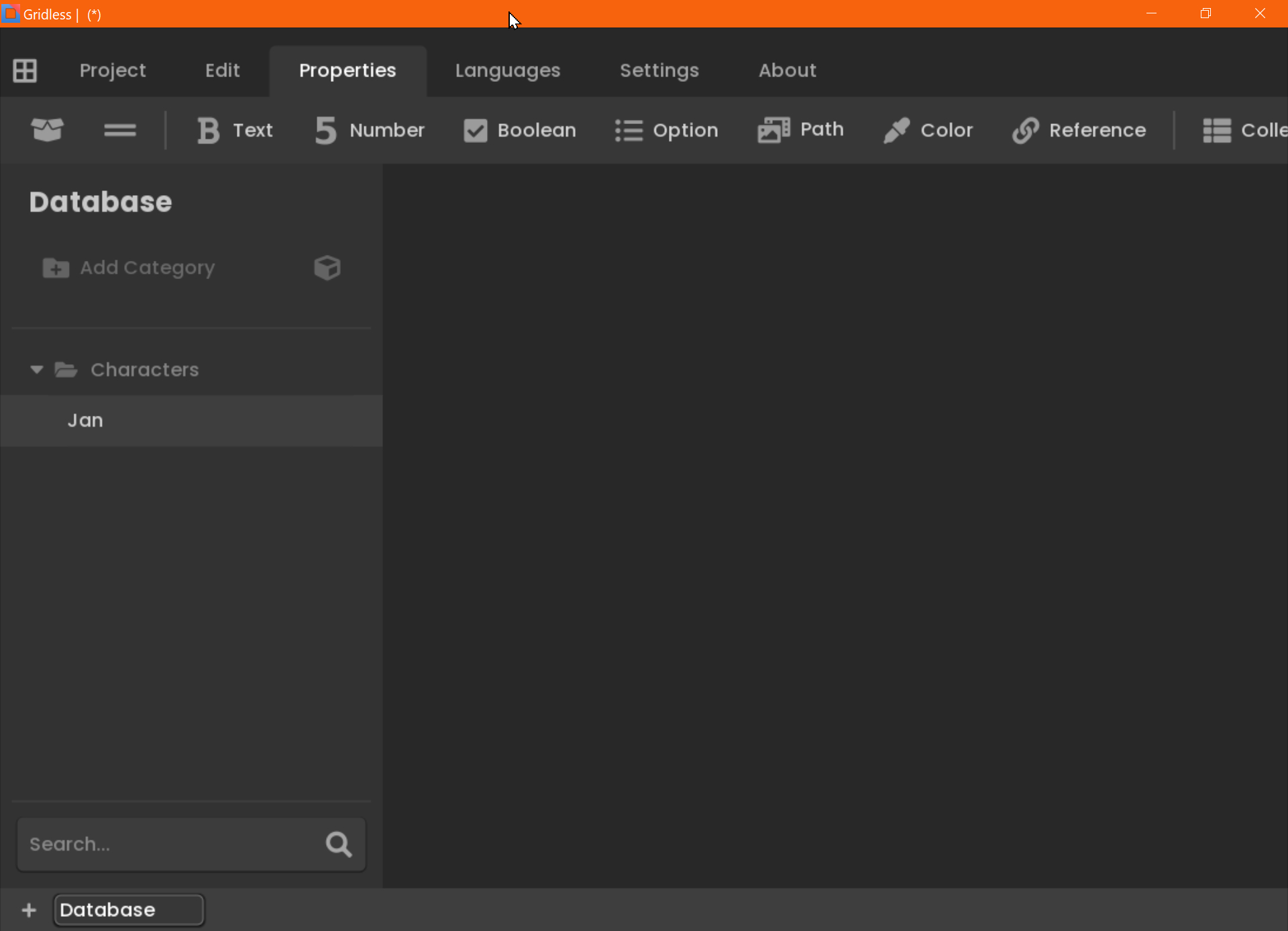
The search bar update convinced me to give it a buy, and out of the box the first issue I'm running into is that the tool bar is too big for my full screen monitor.
Display Resolution: 1920 x 1440
DPI 175% [this is a requirement and can not be changed otherwise everything else on the screen is too small to read.]