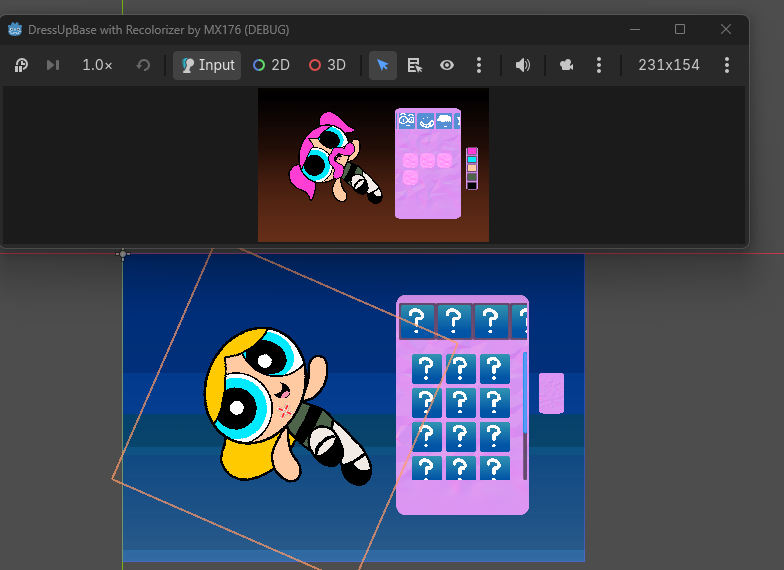


Hmm, the SpritePlaceholder object should be resizable. When you change the scale, all the images of the dress up doll should show up in that scale. The node is at the bottom of the scene list in the example project:
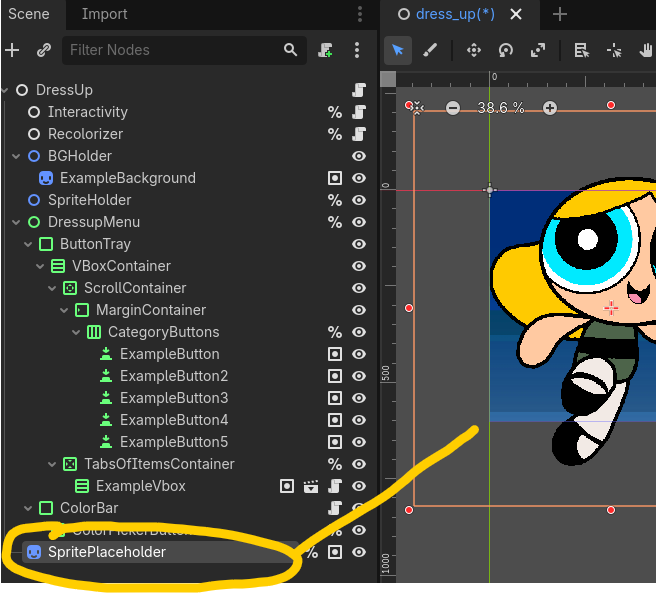
The "SpritePlaceholder" node is duplicated in the code ( file: dress_up.gd, look for the command "sprite_placeholder.duplicate()" ), to create layers for each image folder. Because it duplicates the information of SpritePlaceholder, the position and size should be the same for every layer. This way you can use any size pictures without being forced to resize the files themselves.
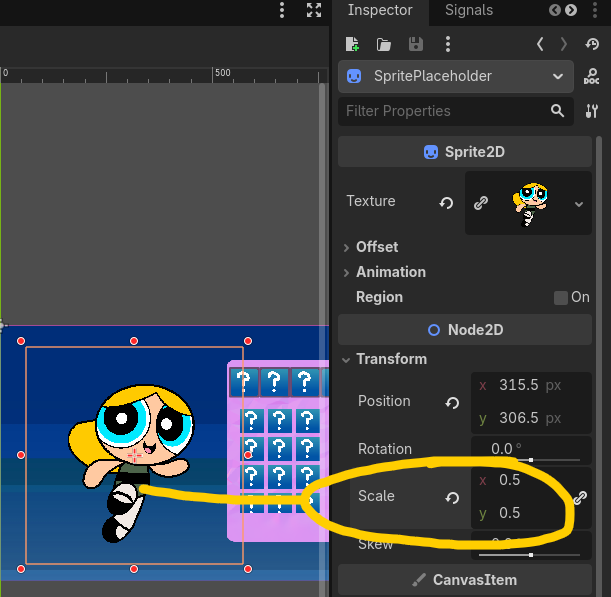
In these screenshots you can see how I have a BIG pixel art image, which has to be scaled down to 0.5 size to fit well on the screen. I exported a "finished" example doll picture from Krita and replaced the Texture of the SpritePlaceholder with the example doll image, so I can see what it looks like in the editor without having to run the game. When the game starts, the SpritePlaceholder disappears, but the layers created based on it remain.
You can resize the SpritePlaceholder node by dragging the edges of the box, like transform tools in many image processing programs, or set the scale numerically in the inspector:
You should also be able to rotate the object and it shows up when running the game: