
On Sale: GamesAssetsToolsTabletopComics
Indie game storeFree gamesFun gamesHorror games
Game developmentAssetsComics
SalesBundles
Jobs
TagsGame Engines

Missooni

70
Posts
2
Topics
45
Followers
12
Following
A member registered Sep 05, 2025 · View creator page →

Creator of

Recent community posts

(4 edits)

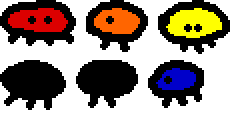
Displays images in a grid with customizable spacing and appearance. Can edit the amount of images on each row using the '.colw' attribute and the vertical spacing between each row by expanding the widget boundaries. 
Toggle between full-color images or black silhouetted previews by changing the values of the list within the '.unlocked' field.  This contraption was made to function as a quick-to-deploy achievements display for games.
Adds 5px of spacing by default, this can be adjusted by changing the + value at the end of this script:

px:px+v.size[0]+5
Silho(uette)Collection
%%WGT0{"w":[{"name":"silhoCollection","type":"contraption","size":[118,60],"pos":[183,107],"script":"on click x do\n show[x]\nend","show":"transparent","def":"silhoCollection","widgets":{"f":{"size":[10,8],"value":"{\"colw\":3,\"imgs\":[%%IMG3ACYAFwZAgHBILA4DyKTSyDQqn9BosxitWpPTq9bK3CpH4DC4So2Kz+jzkwhNu99r4fdNTy8BTzoSvecv526AI4JhVnpJYoSFZod+cFV1kWp/ipKBWHKGlpOYmVuWcWxeo51lpKNOa6dXpkiiq6GeAa2zR3evtaKprq1duVO6vsBCQQ==,%%IMG3AB8AGgZAgHBIFAaOyEBxyQQkn9AmE0p9SofVbLKpFXm92iL0Sy6Lqtinef2NGpPsOHirLh/l7aoZjj9T90h9fmOAgoN1hoB6iXZIToSMVouGVm9dcZVEWptbXJxoV59uV4+ipJqOaamnqkdiq6ylSq+wrK5LmbGht01B,%%IMG3ACQAGwZAgHBILAoDyKRxyTwmn1BlkxmtWqdEqzaK3SZD4JC2WQ2bz+DqMopuo6FZtnsehgPk9Lz4eYfq/3x4f3Neg3pahAF1inRWiUh7kI+CZk+RjG6BX5mYkm9cfoZnV06WhltFhZ+oRl6uUmSvY1hDsqS0cbN9SLipsHy1Ab2+vKXFw1TCucrIw8dYQQ==,%%IMG3ACEAGQZAgHBIFAaOyGNxySQmn9BmE0qNSgHVrJWpRXm/2mX1Sy6jqE6oeU22Utlw79P4jNvndXs7UE5ik3pgSHtIf0eBcoOChXmBh32Fho+IkJGSipRzaWp3aEVaoJqfoaBTpGFcmqcBUqKbrEN+pkpisnS0prOwsZZXqbi3u76pxExB,%%IMG3AB8AGAZAgHAoDBiPyCRxuUw6n0bmEEp1SqtY5dR56nq/Xuj2CC6btclzAGz8IovkMjIcP1XV7e6czjXb126AfGl+hYFQholKhIlybwBPjYNRY1mHWpVZVFeam1KZWZ9MaE+inJSQj6anAUSYq5lNR7CyqJW0sp+2n0E=,%%IMG3ABwAGAZAgHBIBASOyEBxyUw6nczicwqNUq/I5tTENWGVw2d3TJ6Gk+T0uOpUu7lJY9sbeK+vcKQ9v+XX91Rlf3ZYe2qFhl1PQmKEZmdfX0SRkVKUWEuXk1lWnFWMnJlxoKFyUXJHm6WnpGCQrFqwTEE=],\"uns\":[1,1,1,0,0,1]}"},"c":{"size":[118,60]},"storage":{}}}],"d":{"silhoCollection":{"name":"silhoCollection","size":[100,100],"resizable":1,"margin":[0,0,0,0],"description":"Display a list of images in a grid, using a list of booleans to determine an 'unlocked' or visible state - otherwise, images are drawn with a black sillohette.","version":2,"script":"on get_value do f.data end\non set_value x do f.data:x end\n\non get_imgs do \n i:rtext.make[]\n each v in f.data.imgs\n  i:rtext.cat[i v]\n end\n i\nend\n\non set_imgs x do \n i:extract arg where text=\"i\" from x\n f.data:f.data.imgs:(i)\n f.data:f.data.uns:filluns[x]\n render[]\nend\n\non get_colw do f.data.colw end\non set_colw x do f.data:f.data.colw:x end\n\non get_unlocks do f.data.uns end\non set_unlocks x do \n f.data:f.data.uns:filluns[x]\n render[]\nend\n\non view do \n card.show:\"transparent\"\n render[] \nend\n\non inside p r cellsize do\n min(p>r)&(p<r+cellsize)\nend\n\non click pos do\n uns:get_unlocks[]\n imgs:extract arg from get_imgs[]\n input:rows storage.value\n each v k in input\n  vpos:v.pos\n  vsize:v.size\n  if inside[pos vpos vsize]\n  rimg:imgs[k].copy[]\n  if uns[k]=0 rimg.map[(0,1) dict (0,1) colors.black] end\n   card.event[\"click\" rimg]\n  end\n end\nend\n\non get_update do render[] end\n\non render do\n input:()\n c.clear[]\n i:0\n py:0\n px:0\n cw:get_colw[]\n imgs:get_imgs[]\n uns:get_unlocks[]\n rs: ceil ((count imgs) / cw)\n rw: card.size[1]/rs\n each v k in extract arg from imgs\n  if uns[k]=1\n   c.paste[v px,(py*rw) 1]\n  else\n   c.paste[v.map[(0,1) dict (0,1) colors.black] px,(py*rw) 1]\n  end\n   input[k].pos:px,(py*rw)\n   input[k].size:v.size\n  if i=cw-1\n   i:0\n   py:py+1\n   px:0\n  else\n   i:i+1\n   px:px+v.size[0]+5\n  end\n end\n storage.value:table input\nend\n\non filluns x do\n r:get_imgs[].arg dict x\n r:1 fill r\n range r\nend","template":"on click x do\n\nend","attributes":{"name":["colw","imgs","unlocks"],"label":["Column Width","Images","Unlocked State"],"type":["number","rich","data"]},"widgets":{"f":{"type":"field","size":[8,8],"pos":[1,-13],"locked":1,"show":"none"},"c":{"type":"canvas","size":[100,100],"pos":[0,0],"locked":1,"volatile":1,"show":"transparent","border":0,"scale":1},"storage":{"type":"grid","size":[8,8],"pos":[-12,-13],"locked":1,"volatile":1,"show":"none"}}}}}

Creates an interactive, full color palette (exposes selection with both '.pattern' and a click[] event) using a single image containing the pattern 1.

Image Palette
%%WGT0{"w":[{"name":"Image Palette","type":"contraption","size":[248,72],"pos":[137,144],"script":"on change col do\n\nend","pattern":40,"show":"transparent","def":"Image Palette","widgets":{"c":{"size":[248,72]},"i":{"size":[248,14],"value":{"text":["i"],"font":[""],"arg":["%%IMG3AB8AJAKEjxmR7W/WgvTJWXO8Ol/ZUR8WOiNZHieaAitbvgwCevJq3ber96APZAR7quGrYRzlkjBa0jbUGDtTadB6hWZFVW60wgTjeCexslhefkxndhtZU8db6Dl9Y7/j6QU="]}}}}],"d":{"Image Palette":{"name":"Image Palette","size":[100,100],"resizable":1,"margin":[0,0,0,0],"description":"Create a color palette by tiling an image.\n\nReturns color selection via card.pattern.","version":1,"script":"on get_i do i.images[0] end\non set_i x do i.value:x end\n\nimg:get_i[]\non view do\n card.show:\"transparent\"\n if img.size\n  x:img.size[0]\n  y:img.size[1]\n  card.size:(x*8),(y*2)\n  c.size:card.size\n  col:47\n  each v in range 2\n   each k in range 8\n    c.paste[img.copy[].map[(1) dict (col)] (x*k),(y*v)]\n    col:col-1\n   end\n  end\n end\nend","template":"on change col do\n\nend","attributes":{"name":["i"],"label":["image"],"type":["rich"]},"widgets":{"c":{"type":"canvas","size":[100,100],"pos":[0,0],"locked":1,"volatile":1,"script":"on click pos do\n if !me[pos]=0 \n  card.pattern:me[pos] \n  card.event[\"change\" me[pos]]\n end\nend","show":"transparent","border":0,"scale":1},"i":{"type":"field","size":[100,20],"pos":[0,0],"locked":1,"show":"none"}}}}}

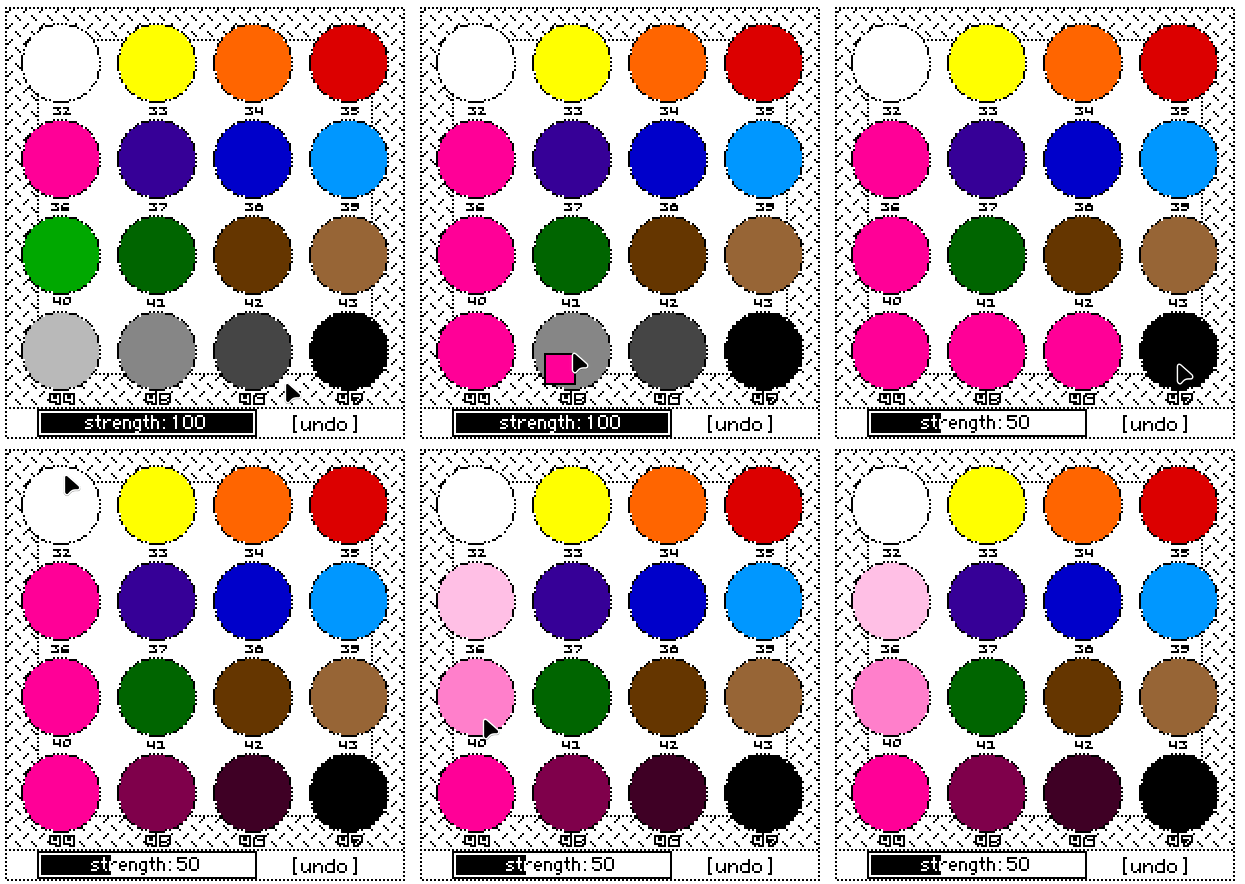
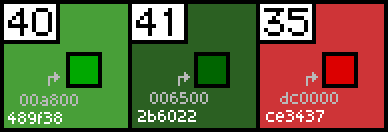
A way to adjust color patterns by mixing values! Click + drag one color into another to use. :3

MixSwatch
%%WGT0{"w":[{"name":"MixSwatch","type":"contraption","size":[200,216],"pos":[88,48],"def":"MixSwatch","widgets":{"undo":{},"history":{},"s":{},"c":{},"strength":{"value":50}}}],"d":{"MixSwatch":{"name":"MixSwatch","size":[200,216],"margin":[0,0,0,0],"description":"Adjust color patterns by mixing values.","version":1,"script":"on undoz do\n rv:history.rowvalue\n deck.patterns[rv[\"pat\"]]:\"%06H\" parse rv[\"old\"]\n history.value:-1 drop history.value\n history.row:(count history.value)-1\nend\n\non rgbz x do\n d:\"ABCDEF\" dict 10,11,12,13,14,15\n r:()\n each v i in 2 window \"\" split x\n  each v2 i2 in v\n   if d[v2]\n    v[i2]:d[v2]\n   end\n   v[i2]+0\n   r[i]:(v[0]*16)+v[1]\n  end\n end\n r:\",\" fuse r\nend\n\non convertRgbz x do\n  d:(10,11,12,13,14,15) dict (\"A\",\"B\",\"C\",\"D\",\"E\",\"F\")\n x:\",\" split x\n r:()\n each v i in x\n  i1:floor v/16\n  i2:((v/16)-i1)*16\n  if i1>9 i1:d[i1] end\n  if i2>9 i2:d[i2] end\n  r:r,i1,i2\n end\n \"\" fuse r\nend\n\non click pos do\n px:card.image[pos]\n if (px>31)\n  z.pos:pos\n  s.pattern:px\n  s.fill[0,0]\n end\nend\n\non drag pos do\n if (s[0,0]>31)\n  s.pos:pos\n end\nend\n\non release pos do\n px:card.image[pos]\n if (px>31)\n  npx:\",\" split rgbz[\"%06H\" format  deck.patterns[s.pattern]]\n  opx:\",\" split rgbz[\"%06H\" format deck.patterns[px]] \n  st:(\" \" split strength.text)\n  st:strength.value\n  if st=75\n   npx:(floor (npx+(floor (npx+opx)/2))/2)\n  elseif st=50\n   npx:(floor (npx+opx)/2)\n  elseif st=25\n   npx:(floor ((floor (npx+opx)/2)+opx)/2)\n  end\n  npx:convertRgbz[\",\" fuse npx]\n  opx:convertRgbz[\",\" fuse opx]\n  deck.patterns[px]:\"%06H\" parse npx\n  history.value:insert pat old new with px opx npx into history.value\n  history.row:(count history.value)-1\n end\n s.pos:-s.size\n s.clear[]\nend","image":"%%IMG3AMgA2AbAhnBILBqPyKRyyWw6n9CodLpUWK/YrHbL7Xq/4LB4TC6bz1whes1uu9/wuFctr9vv+LyYru/7/4BkfIGEhYZ5g4eKi4yCDY2QkZJYiWYRl5iXhJmZm5yagZ+ga5VhmSCoqaidd5khr7CvrHaZIra3trN1mSO9vr26Y6Vel6rGxyCjb5exzc4hym6XuNTVItFtl7/b3CPYX8NcEcjkxhFwEc/qzefL1u/U7dLd9NvyYeFZxeX8q/eW6dYJlPWvzDR4CHMVJKOtnkNgC7fkuzKun8VVaAIO3AgtY8KPtyKCifCwpC+RlB59qXjxIkpxHGN2NAiy5jVLJnN6AzORZUuXDGXKfKnPpk2iWEjqzPmy58+fEaBoFDow6pMIRmtadaJ0acmmKsU9fRoBgNmzaNFOpVo1rduzWLNqffu2q9evc8Jq8TnWJV21bIWW/Ws2rty5hAHYvYs3jV59fckmVhx46GTDhz8OJryYsUORw/hGtri5bmXBnDMbLe22s+fPjsWOhsr5tOW/mFUnZJ3W9Wt6EUPPpo3bdkzeanUjpuv7N7fgjykOb4kcrnGO1QsrB5ldsXOT0LeInl6u+trr68xvX977O1OJ0RWMJ4/MPHrszNdzZ+4ePHzx9Pll2n1t1aWfZvz199BCpcwXoCr2ESiQegciZJ6CC/6314P9RCihOhRW+M6FGNbDYHwOcpgMcx+ml5+IIyZYYjcnAqgiOR62yM6LMFZD4ozPaQjZjfWxqKMzIfaIy49A/lKjjUSm0t15LU6p5JKcNelkbFBGuWJxR8Ji5ZW5ZKklMFxu6OUqtYUpS2pkXmPmmeF1GeWUbr6JW5xy4nYmmkKqeedlbnan3ZWGeqclaPFZkSJ5iVJJYKRkRkpnF/k8OluihR3JqWJKftqccyg5peKnnX6IKqgirjqqZ2CtdKOrVU6WXKu2wjVjrLI+uGqq9/3Kqn7CvuoVURM5GqCwwBrH7LDKPWvsezw1upem/FySK3OSHvdsYbllpe22rU1rIlIKJHtFA9gWSS6YbH3bW2byqgWrtVqoa0UDirXrz7uJMTNUvb2FayHBapkLEQD4ZqFvunBhgiMmAOfqyjOZVGxrLdZkrHHAmABHsVkNpyRMXaJ8XLEoCG/LssoAv+xWyevSvC/MOOes884822pzuj/z2/PQRBdtNGFBB/1WAEwHAEDTR7vVtNNTR41W1U4/bfVZWEOdVtIn05W1WWNvTfbVZqOt9dppZ+3118Io/ZfbaadVdtlmU/1222qjBfYeS0Nddd6C7x314GcTzvTTi88cd9h1Ry555H/jM/nlmB9dOU8of1K3zGaDvrXoZ20OTsSXkKD66qp7PHQmJcQue+yu95yJCbjnjnvtPGdywu/A/+666XP0y/rxyJMwrs6XzO788yUsn/MluldvvQnS43xJ8Nx3f4K2xGMaQfLkH99yBNCn7/z517df/fnex899VI+bMn75+Lcub/Pq90/7/hFwnwBzl713bU9+CBQeutR1v/w5UHkaQ5//Jki7CA7wggSMYAI3CDykJKuBD3RgsShIwujFDIMoxF7MOMjC71VrJSGMIQRdVsISuiqFKXRVC1vIqy6AUIb4c1UNSXhDHGJQhzvkYA/FA8QYimqINrSYEXNosSTyMC8+bKIMIwXFGkZqijiMlBV3yKgsajGEXOwiES8DRioGbIxXTJM+zrhFzqjRi5xpYxg5A0cyyjEpdHSiHe+4Rtzo0Y3M6WMc89WoHwayfFMiZCGZc0gUTkmRLKzTXh75wEhKcoJTquQR+YjJDWoSkJzsJHM+OcneiNKSiSylEgNFkVSqsi6spKB5XjnKushyloxkoi3zZ55cgpKSvBygeX5pSlo6apjEXKUx+7fLZApwmcxE4JPmCE1ISnOa6aumNduHzWzGb5uo7GbyignOcCJznNcrpzm7h85aqnOd32zn+t4Jz/fFcp70dKZ87olPXOrzeeLsp+7kCdAOCnSgBF2dJw9aQUMqNIO4aWjwTpnOiE6UoqG86O5IqVEXPtSR6vzoQUMq0kuW1KTBFGZEZ5jPleZRpCrM6Es52tGUXoaiJgxYSy9T0jKKY6ZptKlQLypGjRr1qPd8oj5FpVBRNbRUDUPpI4UIziJaE4nZXKJMh8nVaXo1mWBlpljHyskRGrNYX12hWl84EltKK5fS4qW0fulBm6WOjgUkF//UGFiXBVCPhbVYBBT5jYdKRKsiZB5hmddG+I2RfntQ2l/R2DJwebGz/QojaA+YybKELw2o0yrvdgY76K2WeZgg58heh4lzzva0EukcJz6XsrSRLmq/ZVj9LJe54hoXZ7jN13GXy1xyJddhUvOa4Q5XuMZtbXDWvW518SbczELObombHN64eziyTbe8jMsuyYbLObGll7xWGxt8y0u3yN3Ncd4FnN22Wzfs2pe/itMbeZ9LieYa+MBvIfC6EMxgBCv4ZuXynG97GzoKj87CpWPv6cB1CRR4+MMefu30MJGCEpu4xCLWHiZUwOIWszjFMMvECmZM4xkPT8PF6zCId8zjxK4sAicOspBT4OOYRcDFSE6yCopswAjU+MlQXgH4cCw+HlvZyucbspaDfD4lexnJ54uymJ+MWXz4NQJXTvOOmcwZIG/5zSgG4Jfn3GI248bJY86zjRdIMzSr+c8glhacB21iadH50HWOoJ4XTeO+jgTQkP5wsQhNaSLHDNGYXnLMGM1pKdPVh5EONQpcVelKuyrTmXZVpzu9Vn2IOtKkLjWhT41qRKt61YxuNUVeHWpRydrUFqt1qi2Ga1ZjURy8FnWkfl3qSAkb1ZEq9qqfupdk9/oyzAZ2wJ497IBJ29h/3LW1r42bbDebM9yGNme+Pe1wO2rc5GaOubXNnHR3mznsBndMqw1vSE9p3pSekr0xPaV8c5qn7+43oP8N8EELfOCHLrjBF41wPyt84fJu+KzrDXFb43viuRaoxS+uZvNofON16bjH6wLykO87KSTHeF1O7nCOq3zO5mk5xUUe8z+bnOZvNs/N6Zxznee5ngnv+ZV/DnQtC33oXy660cWMdPkoPc1Mb7qQnw51JUt96lCu+sivHuiMa33rNu86mD8O9rDznOw9NvvZT8x1tbv4621v9EnhXvZyz73Q6LZ7onGT9xoj3Op8DzFn/g543Ah+8Gwv/OHHTnaGM/7hj5d44T2998SPevGMt7TjH69pwm+e8y93Nd+X/XdnCz7akseUtSjfc9bP3fV2h33eqc3vq/v67KLKPbHbjtWV+F6wWqf10G9tdF2Lu/bIb7ryb858nTv/+RefNM2LtfxNW//TxCC5oDVu6I5Lq+WOth+87cytebMfZfZ+f7ny3djUz4H2/mZetrv87DBLu8zgdzo6Bmuj5WYBV4DQVoDTZlpUhlochn8wpjKZ4HSzZTsr5nUV2DuYQHW31YC5FWG7NWESVmEjeGElmGH5RVwNtoLH9WAQIzWJc14sOIPI5YHKBYNaU1/xdTYyaDR004ND84Pn5YJCs1+Lo4PoJV/2FV7zFYRMSBdESBgC1jZv04RE419UmF0DZoPQxWACZoVF84VLiDh+w4UFRoNoKDlRmIZsaDZrWDAnCFwYJodxeDTB9YaZwAJ6uId6GIEfkwktEIiCGIh+GEGY4AKImIiIWIg/dgkv8IiQ+Ig3loKccwl8eImYyALyBzKD2Ime2AKb2GaKOIqk6AKheGeRmIqq+AJTRongEAGZGIuXeD6fWIudeD6lmIujeD6r2IupCIDgcGayOIx7eIrgYovIKIjG2C+62IyJuIyO6IvSKIl8ZgrEeI3FGEHJuI3KGEHO+I3PGEHTOI6QmH7EgI3oqIkxw43sCIoxA47waIoxQ470yIoBuBfpmI6u0o7t6CrxGI+uUo/1eH3ykY/ouI/8yI3++I/gGJACSY7XB4sGeZAWk5D9aDEMCZAW85ADeWziMZH5GCkWyY+RkpH/GCkcKZC8lxQgqY+XMZIXGTAmqZEBk5Id6W4F2ZIuiRswSZKcMZMnyRk2qZI4KZE6iY1T0pMxyRxASZPMMZQ3aX+OcpQUyZNKqZA/2ZQNKZRQCZFFSZVIyRlXiZW4oZVbiRtd6ZUiB5ZV2RpjyY7mYZbwaB5pSY9ix5ZhWRdvSZatIZdn2Rp1qZYOgyJ4eY3msZfbGJd+6Yx0GZjTeJeFOYyHiZjIqJiLqYuN6Zi+CJmRGYuTSZm1aJmXWYqZqZmryJmdiYmfCZqeKJqjuYtPaZq9iJqpyYeryZqD6JqvGY51IZuzuZa1qZrMgZufqJu7KY+96ZuqWHU5GZx9KJbE2Y1leZy8GZvKKYlf6ZzPaZXR6Y7TSZ3IaZ3XOXnauZ3D2Z3eyZTgGZ7JeZ32eFLlqY7cGZ1Tsp7sCZju+Z5SOZXOKZL0eRngiZLjKXs+pJ3+SZwlSZ0CqpwryZK1KSoIipG7KSoM6pHikJpb0QQRwJoZygQR8JodugQRIJsEaZSFiS6OwqEMAaIMQaLBOBKRiaIUQZky6iiXWaPyoZnI0md4iaMp+pY+Kh9+GaQjWpfmuBImOpH1Zz9KuaQj8aFA6aRICpVSui8/05wGGaR7AZNaqg8z2aVJYZMy+jCOkqTEWKVjcAkkCab6AKVzyaZJUaR2WaNkShGY4JmYgAeAWJx52gqHSJp9SguYMJuB6gjZIAqe8AmJygmLGgxmUKdY0BKTYAe2MqllAKlXMDVMAwKaGgAgoAedqgChmgejqql+EKqj+qhXmgV68zScyjiuCqqwGgCiejWyeoSiKl+nOqu1yjVogKlW0KqeKqyfSqq8Kl+0aqy4+oW7uqyC86urigV386pcU6x4cDe5iqvG6qvY2gfdeoTJqqprgDWcKjjWegdY06uMA6rPOjaieqrPWqtMQwrRegWp0DSqgK9/0DTZOq/7Oq+dahb/mqz8Sq+WerBtAAAIWy1U0LAO+7AQG7ESO7FM0IYWe7FCcLEam4YZu7Eeu4Id+7Eia2AhO7Ima1wle7IqOzkpu7Iu64ZF+LIyazUtO7M22zM1e7M6i1wxu7M+CzM5+7NCuy1BO7RGizQ9e7RKi7QU27RO+7RQG7VQEAQ=","attributes":{"name":[],"label":[],"type":[]},"widgets":{"undo":{"type":"button","size":[64,16],"pos":[128,200],"script":"on click do\n undoz[]\nend","font":"mono","text":"[undo]","style":"invisible"},"history":{"type":"grid","size":[100,127],"pos":[216,34],"volatile":1},"s":{"type":"canvas","size":[16,16],"pos":[-16,-16],"locked":1,"pattern":32,"scale":1},"c":{"type":"canvas","size":[200,200],"pos":[0,0],"locked":1,"show":"transparent","border":0,"scale":1},"strength":{"type":"slider","size":[110,14],"pos":[16,201],"interval":[25,100],"value":25,"step":25,"format":"strength: %f","style":"bar"}}}}}

Looks absolutely lovely! I'm so glad you like them. ^^

Yay! I'm so happy you liked it. I included the process on a whim after I noticed how fun it was to scroll through the pictures I was saving as backups. :3

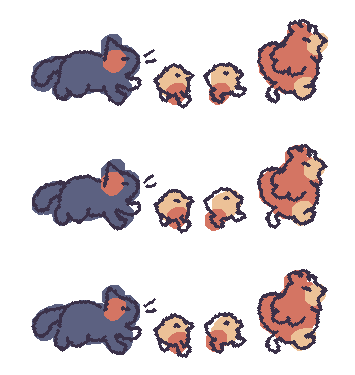
kitty and chickens walk

Happy birthday Decker!! Keep being excellent. ❤

Unrelated - no worries! I should've probably noted I've only seen this happen in Native Decker.

One deck of mine consistently crashes when navigating from card to card using the arrow keys, and today I realized it's a syntax error that isn't being caught by the 'Your script contains errors' validator. The script with missing brackets is 'valid' and will initialize the brushes, but will crash the deck after a certain amount of navigate[] events when ran at a deck level. The second one, with added brackets to surround the brush function, seems to have fixed the issue I've been having, but I was surprised that both were able to pass the check.

roundtips:"%J" parse "[
%%IMG0AAcABzh8/v7+fDg=,
%%IMG0AAMAA0DgQA==
]"

brush[on roundB1 delta newLine pos do
roundtips[0].copy[].map[(1) dict plight[deck.card.image[pos]]]
end

brush[on roundB2 delta newLine pos do
roundtips[1].copy[].map[(1) dict plight[deck.card.image[pos]]]
end
roundtips:"%J" parse "[
%%IMG0AAcABzh8/v7+fDg=,
%%IMG0AAMAA0DgQA==
]"

brush[on roundB1 delta newLine pos do
roundtips[0].copy[].map[(1) dict plight[deck.card.image[pos]]]
end]

brush[on roundB2 delta newLine pos do
roundtips[1].copy[].map[(1) dict plight[deck.card.image[pos]]]
end]

By all means! I'd be grateful. ^^

I got it just now - thank you again for looking into this on my behalf. I can only assume IJ was also deep in thought about any optimizations that could be done.  

Nonetheless, your notes were insightful (There's probably some other things I can do to slim down the widgets...) and I'll be using your hack as a basis for 1.2 + My mobile cinnamon project (which might be evolving into a brand new subspecies of patternshop altogether). In fact, I already had your fonts downloaded and added to the new version before I saw your reply. :3

Thank you, ahmwma. :D Your art inspires me so much and thanks to what you I've learned how to accomplish amazing things.
Initially, I was worried that the premise of the story was too vague to work off of, so the fact it was well received was a pleasant surprise for me.

Thank you too, it means just as much to me to hear from people who've found something they enjoyed in my work. ^^

Thank you, Kat. <3 I think your interpretation is beautiful. This ended up being a very cathartic project for me, despite how quickly it was put together.

That'd be fantastic, thank you. ^^ I did swap over to using Neo for Cinnamon in the recent update, and most operations are located in the script for the card itself.  There were some changes to Neo, which I documented here. One very noticeable slowdown occurs when moving and deleting layers, whereas I'm adding to the load by trying to refresh all of the patternshop contraptions using renderAll[] (Function to force an internal view[] event).

Put out a hot-fix today to address an issue where the layers grid would lose focus after deleting the first layer - now it should be easier to mass-delete a ton of layers, including the few that come packaged with the deck.

Compared to decks like tour.html, Patternshop Cinnamon runs really poorly on my phone. In an attempt to make a more mobile-friendly version, I cut down any cosmetic widgets and significantly shrunk the deck size down. The menu bar is hidden by default to save on space, but I kept the toolbars visible. Given the lack of keyboard and menu bar, there's no way to undo or redo from within the deck - That's where my current road block lies.

kitty luv

I'd like to make a button that operates similarly to using ctrl+z on a keyboard,  my initial thought is:

on click do danger.js["undo()"] end

However...

Directly calling internal Decker functions is not advised, as these do not necessarily represent a stable API; prefer passing Lil functions into JS to allow it to manipulate the Decker environment whenever possible.

I'm assuming this part of the reference is referring to what I'm trying to do here, but if that's the case, how would I go about doing it properly?

Thank you ahmwma! Your kind words are a gift in itself. ^^

No offense taken - I'm very grateful for what you've contributed! Since this post hasn't been up for very long, I considered taking it down to begin a more succinct rewrite, but I suppose the better documented this is, the more likely people will be able to find a pattern that works -exactly- how they expect it to.

Exactly what I needed - thank you!

Trying to decode images using app.params, but IMG3 images will not render correctly:


It seems random where the image will cut off, sometimes the display is nearly perfect except for a pixel or two. Could it be a limitation of URL parameters or a bug of some kind? Here's the script I'm using:

on view do
p:app.params
c.paste[image[p["img"]]] end

I had no idea how to use the .data attribute of a field when writing this, so I'll get acquainted with that and remake this guide altogether. Thanks for the feedback.

(1 edit)

I'm super happy to see another place for people find and share resources! ^^

(6 edits)

Intro

I've noticed a  substantial amount of people wondering how variables are managed in Decker, so I thought it might be helpful to start a write-up about some of the patterns I've been using to create, store, and edit variables in both a global and local environment.

For those just starting out - don't be too intimidated by the length of these scripts; Most have been made longer with intentional spacing / comments.  It's always been a difficult task to write things that are both concise and informative, but I'll do my best!

Creating Global Variables

If you're already familiar with Lil operations, you'll know that It's possible to store a string within a field, and access it locally via 'fieldname.text' or globally with the exact path: 'cardname.widgets.fieldname.text'. In Decker, it's standard practice to store data within widgets using their .attributes. However, if you're working on a larger project with a lot of variables, it might be helpful to keep everything within a single widget and make sure it can be accessed from anywhere using a name of your choice. Now, how can we set that up?

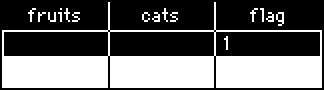
First, create a grid widget on any card. I'll be using 'grid1' on the 'home' card, populated with a few dummy variables:

{"fruits":[{0:"apple",1:"orange"}],"cats":[{0:"siamese",1:"tabby",2:"calico"}],"flag":[1]}


Next, we'll visit the deck script to add this line:

_G:home.widgets.grid1.value

In this context, '_G' is the name of the variable we're assigning our grid value to - any space-less string will work here.
Now from anywhere in our deck, we can type '_G.fruits' into the Listener and get '({0:"apple",1:"orange"})'. However, this arrangement isn't ideal, because these variables are returning as a (list), indicated by the surrounding parenthesis. Since this affects scope, we'd need to type '_G.fruits[0][0]' instead of '_G.fruits[0]' to return "apple", and there's currently no way to change these values unless we edit the grid directly.

Luckily, we aren't done yet; In the following section I'll show you how to create get[] and set[] functions, to serve as wrappers for viewing and adding new data.

'get' and 'set' Functions

Let's return to the deck script and redefine '_G' so that it refers to the grid itself, instead of the value it stores:

_G:home.widgets.grid1

In the same area, we'll start adding a few lines of code. The get[] function will return the value of the variable we look up, using the _G namespace to refer to the grid widget we populated earlier, and set[] will assign a value to a variable within a given table.

Here's a small setup for both functions, with a few comments (starting with #) for clarity:

# usage: get[_G "varname"] 
on get x y do 
    x.value[y][0]
    # return the variable y from table x
end
# get[_G "flag"] will return 1
# usage: set[_G "varname" value]
on set x y z do
    r: cols x.value
    # create a variable called r, comprised of the column data from x
    x.value: table r[y]:z
    # set the value of x to a new table where the variable y is changed to reference z, and return it.
end

Assuming we don't want to bloat up our global table with unused values, we can add another function to the end of set[] to cull nil values:

on set x y z do  r:cols x.value  x.value:table r[y]:z  cullnil[x] end
# the set[] function from above, condensed into a single line, with 'cullnil[x]' added
on cullnil x do
    r:() dict ()
    # create a new empty dictionary called r
    each v k in cols x.value
    # cycle through entries in table x, by column
    
        # copy all existing variables from x to r
        if v[0]
            r[k]:v
        end
  
    end
    # return r as a table
    table r
end

If you've followed along this far, try setting a variable using the Listener, and retrieve it using get[]! If you aren't sure how you can interact with something, the 'typeof' operator will tell you what type of data it is. Given the context of our dummy variables, 'get[_G "cats"][1]' will return "tabby", because it's a numbered dictionary. If you want to add an entry to that dictionary, we'd need to retrieve and edit the variable, like so:

d:get[_G "cats"]
d[count d]:"tuxedo"
set[_G "cats" d]

We've now created a place to store our global variables, and the functions needed to access them, but a few cases still might find 'global' variables unsuitable. What if you have identically named variables that need to be unique across cards? In that case, it might be wise to limit the scope of your data by...

Going Local!

Grids can also store data on a per-card basis, if they share a name. The deck script will run every time a card is visited, so the following line will assign '_v' to the grid widget named 'vars', if it exists.

_v:deck.card.widgets["vars"]

The get[] and set[] functions work as they would with the global variable table, except by using '_v' instead of '_G'. If the grid doesn't exist, isn't named "vars" or the variable hasn't been defined, get[] will return nil.

(1 edit)

Hiya! No worries - this was one of the first contraptions I made so it definitely could be made easier to operate. You can put a single Palette Storage contraption on any card and then add this to your deck script: (File > Properties > Script)

palette: cardName.widgets.paletteStorage

For the example above, I'm using 'cardName' and 'paletteStorage' as placeholder names for the card and contraption, respectively.

Then, in any other context (like the Listener, or a widget script) you can change the palette with the line: 

palette.s: "nameOnList"
(5 edits)

While I was importing pictures today, I noticed that the colors from the 'Patterns Interface' section don't -exactly- match the ones Decker comes with by default (at least the most recent version), here's the comparison between the patterns image on the documentation with the output from "%06H" format deck.patterns[...]

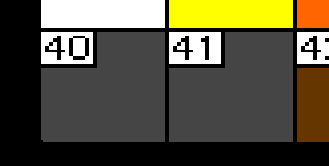
This even leads to some colors from the palette being imported as dark grey, seen here:

This is something I'm experiencing in both native and web environments, and I've tried a couple of different methods to save and load the image with the same result, but there's still a chance it's an issue on my end. In any case, I figured posting it here might be helpful.

Put out an edit when I woke up today - now there's a template script included with information about the prototype functions. It's also possible to select modules now when importing scripts. At the same time, I discovered a bug where duplicate parameter types would only display the most recent, so I fixed that too! Thank you for your feedback. ^^

(6 edits)

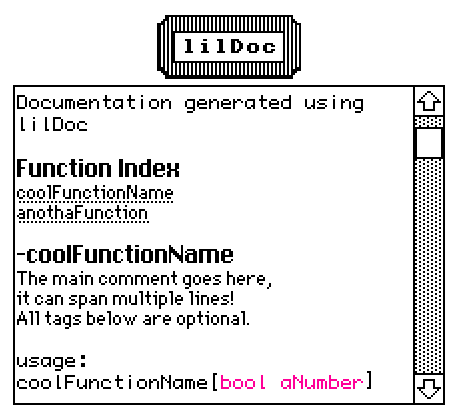
 A mini, Decker-fied documentation utility inspired by YUI/JSDoc. Add comments to your scripts, and this contraption will be able to generate documentation for their functions automatically. You can create multiple widgets and/or download the formatting guide by clicking on the 'lilDoc' button.

lilDoc
%%WGT0{"w":[{"name":"lilDocFactory","type":"contraption","size":[72,32],"pos":[211,52],"script":"###\n# Displays the 'alert' modal with information about lilDoc and a list of options.\n#\n# @function menuz\n# @return {Dictionary} menu_option A dictionary containing functions.\n##\n\n###\n# Find every formatted comment within a script, then generate documentation.\n#\n# @function gendocz\n# @param {String} x The script to search.\n# @param {String} y The name of the interface that contains the script.\n##\n\n###\n# Create, format and populate a field widget with generated documentation.\n#\n# @function genwidgetz\n# @param {Dictionary} x A dictionary generated with gendocz[]\n# @param {String} y The name provided to gendocz[], used as the title for the documentation.\n##","show":"transparent","def":"lilDocFactory","widgets":{"main1":{},"main2":{},"main_alert":{},"format_guide":{},"fieldscript_template":{}}}],"d":{"lilDocFactory":{"name":"lilDocFactory","size":[72,32],"margin":[5,5,5,6],"description":"Generates documentation for any script available within a deck, using specially formatted comments. ","version":2,"script":"on view do card.show:\"transparent\" end\n\n# Assigning all the different menu options to a dictionary...\nmenu.ds:on x do gendocz[deck.script deck.name] end\nmenu.cs:on x do gendocz[deck.card.script deck.card.name] end\nmenu.sw:on x do\n w:alert[\"Select Widget\" \"choose\" deck.card.widgets]\n gendocz[w.script w.name]\nend\nmenu.sm:on x do\n w:alert[\"Select Module\" \"choose\" deck.modules]\n gendocz[w.script w.name]\nend\nmenu.fg:on x do write[format_guide.text] end\n\non menuz do\n d:(\"Use Deck Script\",\"Use Card Script\",\"Select Widget\",\"Select Module\",\"Download Formatting Guide\",\"Exit\") dict (\"ds\",\"cs\",\"sw\",\"sm\",\"fg\",\"ex\")\n r:alert[main_alert.value \"choose\" d]\n menu[r][]\nend\n\non gendocz x y do\n s:\"\\n\" split x\n i:0\n w:0\n r:() dict ()\n each v k in s\n  if v[2]=\"#\" w:1\n  elseif v[1]=\"#\"\n   r[i].comments:1 drop r[i].comments\n   i:i+1\n   w:0\n  elseif (v[0]=\"#\")&(w)\n   e:\" \" split v\n   if (e[1] like \"@*\")\n    r[i].tags[\" \" fuse (e[1],e[2],e[3])]:\" \" fuse 3 drop e\n   elseif e[2]\n    r[i].comments:r[i].comments,\" \" fuse 1 drop e\n   end\n  end\n end\n genwidgetz[r y]\nend\n\n# Outputs a field widget containing generated documentation.\non genwidgetz x y do\nshow[x]\n r:deck.card.add[\"field\" \"\" fuse y,\"_doc\"]\n r.size:(card.size[0]*3),(card.size[1]*5)\n r.pos:(card.pos[0]-(r.size[0]/2)-(card.size[0]/2)),((card.pos[1]+card.size[1])+3)\n on rtm x y do rtext.make[x y] end\n r.value:rtext.cat[rtm[y \"menu\"],rtm[\"\\nDocumentation generated using lilDoc\\n\\n\" \"mono\"],rtm[\"Function Index\\n\" \"menu\"]]\n r.locked:1\n r.scrollbar:1\n r.script:fieldscript_template.text\n \n on appendr x do r.value:rtext.cat[r.value x] end\n on nline do appendr[\"\\n\"] end\n \n indx:()\n each entry in x\n  each v k in entry.tags\n   if k like \"@function*\"\n   n:\" \" split k\n   indx:indx,n[1]\n   r.value:rtext.cat[r.value rtext.make[n[1] \"body\" n[1]] \"\\n\"]\n   end\n  end\n end\n nline[]\n \n each entry i in x\n  r.value:rtext.cat[r.value \"-\" rtext.make[indx[i] \"menu\"] \"\\n\"]\n  each v k in entry.comments\n   r.value:rtext.cat[r.value v \"\\n\"]\n  end\n  nline[]\n  r.value:rtext.cat[r.value rtext.make[\"\" fuse \"usage:\\n\",indx[i],\"[\" \"mono\"]]\n  pinx:()\n  each v k in entry.tags\n   if k like \"@param*\"\n    pn:\" \" split v\n    pinx:pinx,pn[0]\n   end\n  end\n  appendr[rtext.make[(\" \" fuse pinx) \"mono\" \"\" colors.magenta]]\n  appendr[\"]\\n\\n\"]\n  each v k in entry.tags\n   pn:(\" \" split k),(\" \" split v)\n   if !(pn[0]=\"@function\")\n    fc:(\"@param\",\"@return\") dict (colors.magenta,colors.orange)\n    if pn[0]=\"@return\" appendr[rtext.make[\"returns:\\n\" \"mono\"]] end\n    r.value:rtext.cat[r.value rtext.make[pn[2] \"mono\" \"\" fc[pn[0]]] \" - \" 1 drop -1 drop pn[1] \"\\n\"]\n    appendr[\" \" fuse 4 drop pn]\n    appendr[\"\\n\\n\"]\n   end\n  end\n end\nend","template":"###\n# Displays the 'alert' modal with information about lilDoc and a list of options.\n#\n# @function menuz\n# @return {Dictionary} menu_option A dictionary containing functions.\n##\n\n###\n# Find every formatted comment within a script, then generate documentation.\n#\n# @function gendocz\n# @param {String} x The script to search.\n# @param {String} y The name of the interface that contains the script.\n##\n\n###\n# Create, format and populate a field widget with generated documentation.\n#\n# @function genwidgetz\n# @param {Dictionary} x A dictionary generated with gendocz[]\n# @param {String} y The name provided to gendocz[], used as the title for the documentation.\n##","image":"%%IMG3AEgAIAUgIAJBaZ5oqq5sy44wOc10bd94ru94EIslnnBIFJZiwaJyWTySksyotGeaWq81KHbL1HK/Qy94nBOTzzQz+qxej9vuLzy+ndOv9vs0r4/y+0t/gE0Bg2+FhnKIiXWLjHiOj3uRkn6UlYFVmJkom4ROmp47JkiXolk+Py6rrK2tP0CusrOuMCE=","attributes":{"name":[],"label":[],"type":[]},"widgets":{"main1":{"type":"canvas","size":[56,16],"pos":[8,8],"locked":1,"script":"on click pos do\n \nend\n\non drag pos do\n \nend\n\non release pos do\n \nend","border":1,"image":"%%IMG3ADgAEAKEj6nL7Q+jnLTai3HYiqMdfGDWeJAJcCh5rGOCeiYYtu+zprXI64ZcA552tg5R6EvmHLnmMTQLSn/EBU0Uu12xzyXrCw6Lx+Sy+YwoAA==","scale":1},"main2":{"type":"button","size":[56,16],"pos":[8,8],"script":"on click do menuz[] end","style":"invisible"},"main_alert":{"type":"field","size":[56,16],"pos":[0,-16],"locked":1,"script":"on change val do\n \nend","show":"none","value":{"text":["","lilDoc\n","Generates documentation for any script available within a deck, using specially formatted comments. "],"font":["","menu","mono"],"arg":["","",""]}},"format_guide":{"type":"field","size":[16,16],"pos":[56,-16],"locked":1,"show":"none","style":"plain","value":"Formatting Guide for lilDoc\n~\nSince lilDoc is based on YUIDoc,  it follows similar formatting conventions. \n\nEach comment block starts with a triple octothorp (###) and ends with a double (##)\n\nThe description that will appear when the documentation is generated should be written underneath the (###) header, followed by a single (#) to close it off.\n\nAfter the description, you can add @ tags, which will appear in the documentation with special formatting. As of now, lilDoc recognizes three tags, which should be included in this order:\n@function\nusage: # @function functionName\n\n@param\nusage: @param {paramtype} paramName Description of param variable\nCan include multiple @param tags.\n\n@return\nusage: @return {paramtype} returnName Description of return variable\n\nComment example:\n###\n# The main comment goes here,\n# it can span multiple lines!\n# All tags other than @function are optional.\n#\n# @function coolFunctionName\n# @param {Boolean} bool 0 or 1\n# @param {Number} aNumber Any integer\n# @return {Boolean} isTrue Returns 1 on success\n##\n\nExample params:\n# @param {Boolean} \n# @param {Number} \n# @param {String} \n# @param {List} \n# @param {Dictionary} \n# @param {Table} "},"fieldscript_template":{"type":"field","size":[72,24],"pos":[0,32],"locked":1,"show":"none","value":"on link x do\n me.scrollto[first (rtext.find[me.value (\"\" fuse \"-\",x) 1])]\nend"}}}}}

Hiya! Is the browser version or native version giving you issues? Here's a few things I can think of that might be causing that:

(Web) Make sure JS is enabled; You can use ctrl+F5 to hard refresh the page. If other instances of web Decker are loading for you, try opening the patternshop-cinnamon.deck to see if it still gives you a black screen?

(Native) When you launch the .deck file, it might be trying to use an outdated version of Decker, or your operating system cannot find an instance of Decker at all. (This happens to me on Debian all the time ;_;)

(9 edits)

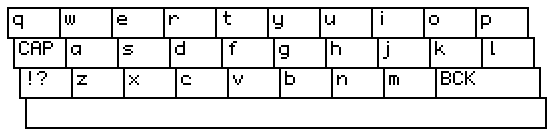
Some alternative input options! Both are resizable, and you can configure a sound to play when they are interacted with. :3


All keys are configurable, but there's currently no way to type text anywhere but the very end of the field.

On-screen Keyboard
%%WGT0{"w":[{"name":"Screen Keyboard","type":"contraption","size":[272,64],"pos":[143,47],"script":"# define the text field widget that events should be sent to:\ntf:outz\n\non click x do\n if ((me.alt)&(x=\"B\"))|((!me.alt)&(x=\"<\")) \n  tf.value:rtext.span[tf.value 0,rtext.len[tf.value]-1]\n elseif ((me.alt)&(x=\"S\"))|((!me.alt)&(x=\"?\")) me.alt:!me.alt\n elseif (!me.alt)&(x=\"^\") me.caps:!me.caps\n else tf.value:rtext.cat[tf.value x] end\nend","def":"Screen Keyboard","widgets":{"c":{"size":[272,64],"image":"%%IMG3ARAAQAKMj6nL7Q+jnLTai7NmoPsPBOBIkmKJmun6nezqvmgsq/V847m9g/T46wV3w1zxFjumlDLmK9kLRX3TFqzqcbK0V6w0G+UuvV+sWGfuhg7EjujddhuE7jVdPjfW90j+uQzYh3eHcKfj8ncCl+gXl8cIRhgpiBjHp1cGWYl5OFmjKKVZiPln5Ul5+tTIGfi5inrZ1LWJCkdaBToFJRmr+pUn2Cub6Zi6pTYabMuZ7NoaLGfZPGwHKey7VqrIZlnyY41LVgokTs6qW+6VG6Zm3I6unp422A0/Pz9+7X7OHu9/H+5fQID2vMkbiLCgwn4EGSZ0yOOhIYn1IFqcuBDjRVMNNXqs+JFfSGgZQbbYgDKlypUsW7p8ieHdRpEmadokORPnSGdouGXDEyQfx4fg7Nx0JnRXsYLjlKxbBtVcx4rgmqZLehWh1TGBKtGaNA1b2GNApQFT5hNpWp7PfK2DtrXTSTZjny7t95VaW7J53e5Ds3dWYK76ZFLpCuaIXWZnkf41+FjuYBt9yRbmupZtXMheE2OOxk9TZKmTOY8+XLnd1reac2Z65LnnMrWNqY1VzfD258sRV58eWhsb5KlH9ZYMXROua+Ouhf4mTLG42OCWA1IXflzn0OxsuTPf+T159+XYSXsvDx69+PDSq593b548/PTz16tvb9h+/eeA3+fHD51/Acr3n3ZZwIRgggouyGCDFhQ4Hn0QsmdghRHqR8Z+lyRx3XYEDijhbh/2h5dP3KQmUG9gaXghgCTyMuJw1sUWCm/cKeWhOQncZU1mftmImo98GUWKkILVQcNsGeYIXHwRlSaVksOgKJloQJoC2y1S8nWiD86xiCOUYbYGoyFbDnllJFSadqaISrZ50JO52QOnZGZCiRp/v+gJSp2U0WjLly82yaSOulVpVocyrmakm8X4aSgwXaZpoaCWxhmjnCEO6uKSmhZqIYUthnofqSyK6imYmG4qo4CcmjphqamqmmKmTmIIIq6vjjorhJfWyuqnnQoLa6690kpcsbuiKiuzpzZ7LLHZOEhttdZei60Ey0bLbbfefguut0UIGm655p6Lbq/jpstuu+6+q+628M5Lb73trmtvvvruey6+/P4LcMCrUipwwQb/6+/BCi9scMIMPwyxvQ5HTHHF6E5sccYaR4vxxh5/TBy5II+8ccckn4yysNmuzHLLLrOUcswyz0xzzTbfjLMXBQA="},"caps":{"value":0},"alt":{},"storage":{"size":[9,8]},"altkeys":{"size":[113,8]},"cnoise":{"size":[89,8],"pos":[18,-16]},"clickhold":{"size":[114,9],"pos":[158,-16]},"current":{"size":[9,8],"pos":[141,-15]}}}],"d":{"Screen Keyboard":{"name":"Screen Keyboard","size":[241,64],"resizable":1,"margin":[0,0,0,0],"description":"Resizable on-screen keyboard that can be used as an alternative to the default.\n\nMust be populated with script for full functionality.","version":1,"script":"on view do renderz[] end\n\non get_caps do caps.value end\non set_caps x do caps.value:x renderz[] end\non get_alt do alt.value end\non set_alt x do alt.value:x renderz[] end\non get_cnoise do cnoise.text end\non set_cnoise x do cnoise.text:x end\n\non renderz do\n c.clear[]\n c.size:card.size\n if get_alt[]\n  keyb:\"W\" split altkeys.text\n elseif get_caps[]\n  keyb:\"QWERTYUIOP\",\"^ASDFGHJKL\",\"?ZXCVBNM<\",\" \"\n else\n  keyb:\"qwertyuiop\",\"^asdfghjkl\",\"?zxcvbnm<\",\" \"\n end\n kwh:10,4\n cellsize:floor ((c.size[0]/kwh[0])-1),(c.size[1]/kwh[1])-1\n input:()\n each r ri in keyb\n  each ch chi in \"\" split r\n   if !get_alt[]\n    if ch=\"?\" ch:\"!?\"\n    elseif ch=\"^\" ch:\"CAP\"\n    elseif ch=\"<\" ch:\"BCK\" end\n   else\n    if ch=\"S\" ch:\"ABC\"\n    elseif ch=\"B\" ch:\"BCK\" end\n   end\n   xy:((chi*cellsize[0])+3*ri),(ri*cellsize[1])\n   if (ch=\"BCK\")&!get_alt[] cellsize[0]:cellsize[0]*2 end\n   if (ch=\" \") cellsize[0]:c.size[0]-10 end\n   c.box[xy cellsize+1]\n   xy[0]:xy[0]+3\n   input[r[chi]].pos:(xy)\n   input[r[chi]].size:(cellsize)\n   c.text[ch xy]\n  end\n end\n storage.value:table input\nend\n\non inside p r cellsize do\n min(p>r)&(p<r+cellsize)\nend\n\non clickz pos do\n input:cols storage.value \n each v k in input\n vpos:v[0].pos\n vsize:v[0].size\n  if inside[pos vpos vsize]\n   vpos[0]:vpos[0]-2\n   vpos[1]:vpos[1]+1\n   c.invert[vpos vsize-1]\n   play[get_cnoise[]]\n   current.text:k\n   card.event[\"click\" k]\n  end  \n end\nend\n\non startholdz do clickhold.animated:1 end\n\non endholdz do\n clickhold.animated:0\n clickhold.value:0\nend","template":"# define the text field widget that events should be sent to:\ntf:placeholder\n\non click x do\n if ((me.alt)&(x=\"B\"))|((!me.alt)&(x=\"<\")) \n  tf.value:rtext.span[tf.value 0,rtext.len[tf.value]-1]\n elseif ((me.alt)&(x=\"S\"))|((!me.alt)&(x=\"?\")) me.alt:!me.alt\n elseif (!me.alt)&(x=\"^\") me.caps:!me.caps\n else tf.value:rtext.cat[tf.value x] end\nend","attributes":{"name":["caps","alt","cnote","cnoise"],"label":["caps lock enabled","alt characters enabled","(optional) noise to play[] when clicked",""],"type":["bool","bool","note","string"]},"widgets":{"c":{"type":"canvas","size":[241,64],"pos":[0,2],"locked":1,"script":"on click pos do startholdz[] clickz[pos] end\n\non release do endholdz[] renderz[] end","font":"mono","border":0,"image":"%%IMG3APEAQAKMj6nL7Q+jnLTaizPYvIcOhuInliFppgCqlmx7wuYrc3S94rHupeiBI/1qQgRxYzyukjChTTmUsW4+myGIBCpdyKe0C26GsbmxaqpzmqvldgtNjorb1BFb/g7Xd/uZfus2h3f29+UFdZhHB8iXSLhoyCSoZbj2mNMHohbIZnnneEc5xwUpiInIs5mZuNoD+jjYyQn7Stqq+elpt8QbyVMW61crrGs7vFO8G2yc2imquKwsSZvsWo17vLt068ZNd4WaJntNTvo7yyh+jl756419vvdu7b7OPlq/Pp99mR8/ru6fPnv7ymnzh7DZQGIJAzYkIzDiw3QQJxpEZhGfQokbMyri6BBjx5EhS1YkedIkxZVZMrh8CTOmzJk0ay4AmDInS40q26Hc+THjD3DbWsIpuuUZLKWhmJpzyuwePH5eojX6CWaI1kOqwt3q6kuhVWxj6ZVTw22TzqzwPsgBa0osVbZy60o1e7dqXlfz5JlJsA0O4EpQlc0FVvgqUWjTAH7NYnctsLaz4AY9WyiuurJ6MZeCtrdzz8ldtl4NbZka6ot0V39W/Zh02NFDu95I7WwxY92qISYme7h2nOBGY5vz2A8rT8mXRzdnnnyq8udAo0PHWR27T9oEuy8EeZ3hdOvZxUt3Tn57+OPjtS8vz/78+oPtzc8Xid49dfWH6ee3D59/98kXIH6S2YRgggouyGCDhRUUmoAFEshfhe9ZaM+F3XjAG1+NCcOZHh2CSFxgw3kWImJEaZFiehtmhp9xbp3oWoq4gajWUr1oNmNprAE4xm3ipYVXb14d6UuPpigJmo89QGggK1EG6ZA3ORIWYREjMrPlabEl8UKXQpnVR4tU0uhbljDChiSPgTCZ4T0QXjkKnGy2Y+WaudRYommnROjiUcloKSZfJSKF52a/GYpin5Sw2J97c3oH3oRFWhophXHuB6imnH7qIqj6hUrqpvFdimGpQGoo6qqtnmoqp5N+h9yotrqqKqyxSkpprbjeqiuruUq466qzVpoqsMQKq+yUxS7rYLTSTkvttL8+i2222m7Lba+edgtuuOKOW2wdUJKLbrrqgmvuuu6+C6+67cZLb732xjrvvfruy6925/YLcMDZ5itwwQbLe+3BCi8cJ8EMPwzxpg5HTHHFLP1rccYCT6xxxx1z7HHIFJtbbckmn4zyAyKvzHLLLr8Mc8wVFwA=","scale":1},"caps":{"type":"button","size":[8,8],"pos":[-15,56],"locked":1,"show":"none","style":"check","value":1},"alt":{"type":"button","size":[8,8],"pos":[-15,41],"locked":1,"show":"none","style":"check","value":0},"storage":{"type":"grid","size":[8,8],"pos":[0,-16],"locked":1,"volatile":1,"show":"none"},"altkeys":{"type":"field","size":[100,8],"pos":[-1,69],"locked":1,"show":"none","value":"+=/_<>[]`~W-@#$%^&*()WS'\":;!?,.BW "},"cnoise":{"type":"field","size":[79,8],"pos":[16,-16],"locked":1,"show":"none"},"clickhold":{"type":"slider","size":[101,9],"pos":[140,-16],"locked":1,"volatile":1,"script":"on view do\n me.value:me.value+1 \n if me.value=me.interval[1] card.event[\"click\" current.text] end\nend","show":"none","interval":[0,30]},"current":{"type":"field","size":[8,8],"pos":[125,-15],"locked":1,"volatile":1,"show":"none"}}}}}
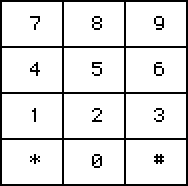
Has .noetc attribute to enable/disable drawing the pound sign and asterisk.

On-screen Numpad
%%WGT0{"w":[{"name":"Screen Numpad","type":"contraption","size":[94,93],"pos":[336,143],"script":"# define the text field widget that events should be sent to:\ntf:outz\n\non click x do tf.value:rtext.cat[tf.value x] end","def":"Screen Numpad","widgets":{"c":{"size":[94,93],"image":"%%IMG3AF4AXQKMj6nL7Q8jArTaizMNuvvKfSJmjCZ4nmEqlmz7wrHnztpqk/mN76h/6QFrwE3RIvQRi8ldM7fsJD5PUlRnOrSqN2r2J/0aadwMtzwGnMVqKhopG2m9cjAvhX6v1tm59J1Gw8aH51YYt1UG6Pd3ZMfkuAGoEtkWeeVUOdmn2Xm5WXepCYoI+enpSGooypoq8QobK/uKeqRKVmvqmjs0yqvk22obnPrrdBsmzLSp2MdopoKJNCn9mBxaivvVLPcM3V0tKcZ9eE1n2QgeDkp4fsac3RX4HffOQp4Yz6OILF98qqwXwH8EbfWjN2xgwoLLjEEhtjBiw4DAPs26iDEjBIc2DlrhOMNjEJFwKB4DGYMkCJXzBO4y+VChLolDqGHLdw6ntm43BbUMMmgVG5/l/FHa2dNoUiychC5l+hToPaf6pEa16o5qTnNkvGF1ww/lC5ZqyJqFODNtTbFTZbqkqeQszI5yGa6dG3KUxr18M7ItOtFuxZeCM7kdDPck3pRo36qN+/co4avW/uDzErYOh3ZEOVtetygcOjrrKGWGsXlrmNREwYIGrDSd59Vb2O5RDXnxyst3C8ec/NgwcMfEc/vu2BhxcCh1EzOPPDSwc+QW+1q//qAA"},"storage":{"size":[10,8]},"noetc":{"size":[10,8],"pos":[19,-16],"value":1},"cnoise":{"size":[94,8],"pos":[1,99]},"clickhold":{"size":[113,9],"pos":[18,-32]},"current":{"size":[10,8]},"chenable":{"pos":[137,-31]}}}],"d":{"Screen Numpad":{"name":"Screen Numpad","size":[79,80],"resizable":1,"margin":[0,0,0,0],"description":"Resizable on-screen numpad with optional asterisk and pound signs.\n\nMust be populated with script for full functionality.","version":1,"script":"on view do renderz[] end\n\non get_noetc do noetc.value end\non set_noetc x do noetc.value:x renderz[] end\non get_cnoise do cnoise.text end\non set_cnoise x do cnoise.text:x end\non set_chenable x do chenable.value:x end\non get_chenable do chenable.value end\n\ncellsize:floor (c.size[0]/3),(c.size[1]/4)\non renderz do\n c.clear[]\n c.size:card.size\n cellsize:floor (c.size[0]/3),(c.size[1]/4)\n nump:\"789\",\"456\",\"123\",\"*0#\"\n if !noetc.value nump[3]:\" 0 \" end\n input:()\n each r ri in nump\n  each ch chi in \"\" split r\n   xy:((chi*cellsize[0])),(ri*cellsize[1])\n   c.box[xy cellsize+1]\n   xy[0]:xy[0]+3\n   input[r[chi]].pos:(xy)\n   input[r[chi]].size:(cellsize)\n   c.text[r[chi] xy+(cellsize/2)-(c.textsize[r[chi]]/2)]\n  end\n end\n storage.value:table input\nend\n\non inside p r cellsize do\n min(p>r)&(p<r+cellsize)\nend\n\non clickz pos do\n input:cols storage.value \n each v k in input\n vpos:v[0].pos\n vsize:v[0].size\n  if (inside[pos vpos vsize])&!k=\" \"\n   vpos[0]:vpos[0]-2\n   vpos[1]:vpos[1]+1\n   c.invert[vpos vsize-1]\n   play[get_cnoise[]]\n   current.text:k\n   card.event[\"click\" k]\n  end  \n end\nend\n\non startholdz do clickhold.animated:1 end\n\non endholdz do\n clickhold.animated:0\n clickhold.value:0\nend","template":"# define the text field widget that events should be sent to:\ntf:placeholder\n\non click x do  tf.value:rtext.cat[tf.value x] end","attributes":{"name":["noetc","cnote","cnoise","chenable"],"label":["draw asterisk and pound sign?","(optional) noise to play[] when clicked","","enable click hold function."],"type":["bool","note","string","bool"]},"widgets":{"c":{"type":"canvas","size":[79,80],"pos":[0,0],"locked":1,"script":"on click pos do startholdz[] clickz[pos] end\n\non release do endholdz[] renderz[] end","font":"mono","border":0,"image":"%%IMG3AE8AUAKMj6nL7Q8NmLTaWwPeHOgOUlIYfmRnntuori2XvlksT3R9y2wt8lb+2q0QrpIwQzrAgJgc09ZrlqKXI6p4hUpBJucTiUVZtVnP8MT8dsPL8bhahlF/LS863pYbge+6D/zn8ZUUSPbXpzI4VYh4x1goCKnIJTmJx2O5JLnJGOH5CRqawBmYefaIWmq6VVpJeuiaCtuZqCemxHqrmcS3eAnHNajRG/ymhtukZkhXm4tlV+zm58wKTchWjQ1sltxMnUxcvNsq69N4Ta76ah6bPqtejtn+Tm++ul2PKbrP33/umw/HPWbu7K2TRysejnnsFOpQlIZXOF2ngv0i6MSXNUq20BH0OMORtpHcjIzjSPIjPoAhQapMWdLWxovLwEnbc7JhQX0HFybc6RMeUB0MEQ4NMhBQwIc9iXbyBzWqg6ZBigZdipTqNKFYtx5KOkfnV60ijFl1Wibjz65abnIV62IYTDRga1b5oPatUZlzeZG1YXYt3L0GHVYVTDixwL8uFxv2WvgoZJ6PvR0qAA==","scale":1},"storage":{"type":"grid","size":[8,8],"pos":[0,-16],"locked":1,"volatile":1,"show":"none"},"noetc":{"type":"button","size":[8,8],"pos":[16,-16],"locked":1,"show":"none","style":"check"},"cnoise":{"type":"field","size":[79,8],"pos":[1,86],"locked":1,"show":"none"},"clickhold":{"type":"slider","size":[101,9],"pos":[15,-32],"locked":1,"volatile":1,"script":"on view do\n me.value:me.value+1 \n if (me.value=me.interval[1])&(get_chenable[]) card.event[\"click\" current.text]\n end\nend","show":"none","interval":[0,30]},"current":{"type":"field","size":[8,8],"pos":[0,-31],"locked":1,"volatile":1,"show":"none"},"chenable":{"type":"button","size":[8,8],"pos":[122,-31],"locked":1,"show":"none","style":"check"}}}}}
(12 edits)

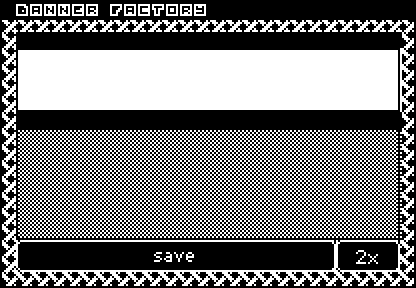
Since I’ve been posting a lot of lengthy code to the bazaar, I’ve felt like I should try to find a way to tidy up so people have an easier time finding things they need. So I’ll be using this post as an index to all of my other contraptions from now on! If you like the new banner, you can create your own using the ‘bannerFactory’ contraption below. ^^

Widget preview

bannerFactory
%%WGT0{"w":[{"name":"bannerFactory","type":"contraption","size":[208,144],"pos":[160,112],"pattern":33,"show":"invert","def":"bannerFactory","widgets":{"inz":{},"outz":{},"savez":{},"rez":{}}}],"d":{"bannerFactory":{"name":"bannerFactory","size":[208,144],"margin":[0,0,0,0],"description":"Tiny, shaded banner generator. Uses widget.show and widget.pattern to render.\n\nIf widget.show is \"inverted\", the outline is white, and \"transparent\" will draw the outline using the pattern  instead.","version":1,"script":"on view do\n bannerz[]\nend\n\non bannerz do\n outz.clear[].text[inz.value (0,0),outz.size \"center\"]\n txt:outz.copy[]\n c:-1,0,1\n each v in c\n  each k in c\n   outz.paste[txt v,k 1]\n  end\n end\n oc:47\n if card.show=\"invert\" oc:32 elseif card.show=\"transparent\" oc:card.pattern end\n md:() dict ()\n each i in ((range 47)+1)\n  md[i]:oc\n end\n outz.paste[outz.copy[].map[md]].paste[txt 0,0 1]\n outz.paste[outz.copy[] 0,-1 1]\nend\n\non savez do\n sz:-1 drop rez.text\n b:outz.copy[].bounds\n write[outz.copy[b.pos b.size].scale[\"%i\" parse sz]]\nend","image":"%%IMG3ANAAkAbAgHBILBqPyKRyyWw6n9CodEqtWq/YrHbLlYK+XyEYHBiHzaCyWT02otnkt3w9b3fveGtanN6Ly2qAfX2AQ4SGbkSHf36CioWMj4OQeZWWS42EZ4WakX6bm0Wfmp1tZ6ClnYiXrK2PjpmOsJ5xho1/gZSkYbKCqoGmrsKssZOksL/IlLifwLqRuLS9y8PVW3VxdNqma6JkfNx233Cn4ePW6Onq6+zt7u/w8UIG9PX29/j5+vv8/f7/AAMKHEiwoMB5BhMqXMiwocOHAxFCnEixosWLCSVi3Mixo8eFGj+KHElSZMiSKFOqBBkgn7yXMPHgO2kgps2bVma21Imzp88lOl3+HEp0SFCeRZPiPHpPqdObTO09nfoyaj2qWN9ZpUegq9evYMOKHUu2rNmzaNOqXcu2rVuvWw28nUu3rt27ePOCjau3r9+/gAOX5Su4sOHDiM8STsy4seO+ix9LnkxZcdOd9ypr3rw5MufPoA17Dk26NN7RplOrXot6tevXYVvDnu1aNu3bpW3j3s1ZN+/fk30DH85YOPHjhY0jX+5XOfPnd51Dn/5WOvXraq1j3z74cj7u4O1qD0+ewPjy4M+j365+/fX27qfDj/98Pv3l9u8fz69/eNysAK7zX4AEVjNggQiycmCCDMrkHVINRqjFghJWmNODl1moIRUUbuhhEx1+KCIScTVg4okopqjiiiy26OKLMMYo44w01mjjjSeWiOOOPPbo449ABomijkIWaeSRSCbJIpFKNunkk1C6yGSUVFZpZZBTXqnlllxKiaE9XYYppphZjmnmmUqWieaabPqoZptwxinjm3LWaeeQX9Zz55584ikVZmD2KaiddA5qaJiFHqrolYku6iiUjT4qaZKRTmqpkJVeqmmPmW7qqY2dfipqjKGOauqSedJz6qo8lsoqq66+emqsso5Ka62f3orrprruemmvvk4KbLCPDkvsosYee2iyyg7KbLN9PgvtntJOS2iqBli7a7Xaxsltt21+C+6a4o57Zrnmjoluuohiy+6s7r5ra7zy5kpvvbzei++v+u4rbL/+FgtwwMgOTPCyBh/sbMIKR8tww9Riu9LEFFcsscUYZ0wSTRp37DFGHH8s8sgMhUzyySgDZHLKLLf8p8swx3yxzDSLvHLNOGN8c848r7Rzz0BvDGjQRPs8dNFIC5300iX9zPTTDTkN9dQGSU311QFZjfXW/GjN9dczgy32Pl6P/XXZZm894tpaBAE=","attributes":{"name":[],"label":[],"type":[]},"widgets":{"inz":{"type":"field","size":[192,32],"pos":[8,24],"volatile":1,"script":"on change val do\n bannerz[]\nend","align":"center"},"outz":{"type":"canvas","size":[192,56],"pos":[8,64],"locked":1,"volatile":1,"pattern":47,"show":"transparent","scale":1},"savez":{"type":"button","size":[160,16],"pos":[8,120],"script":"on click do\n savez[]\nend","font":"body","show":"invert","text":"save"},"rez":{"type":"button","size":[32,16],"pos":[168,120],"script":"on click do\n if (me.text=\"1x\")\n  me.text:\"2x\"\n elseif (me.text=\"2x\")\n  me.text:\"4x\"\n else\n  me.text:\"1x\"\n end\nend","font":"mono","show":"invert","text":"2x"}}}}}

RGB/Hex Adjuster

RGB/Hex color adjusting contraption I made for a small project. :3

%%WGT0{"w":[{"name":"RGB/Hex Adjuster","type":"contraption","size":[162,79],"pos":[140,180],"def":"RGB/HEX Adjuster","widgets":{"rs":{},"gs":{},"p":{},"bs":{},"rgb":{},"c":{},"hex":{},"temp":{}}}],"d":{"RGB/HEX Adjuster":{"name":"RGB/HEX Adjuster","size":[162,79],"margin":[0,0,0,0],"description":"Adjust color patterns by using their rgb and hex values.","version":2,"script":"on get_s do p.pattern end\non set_s x do setz[x] end\non get_rgb do rgb.text end\non set_rgb x do \n if !temp.text\n  patterns[p.pattern]:\"%h\" parse convertRgbz[x]\n  setz[p.pattern]\n end\nend\non get_hex do hex.text end\non set_hex x do \n if !temp.text\n  patterns[p.pattern]:\"%h\" parse x\n  setz[p.pattern]\n end\nend\n\non setz x do\n previewz[x]\n h:hexz[x]\n v:rgbz[h]\n hex.text:h\n rgb.text:v\n v:\",\" split v\n rs.value:v[0]\n gs.value:v[1]\n bs.value:v[2]\nend\n\non sliderz x y do\n c:(\"r\",\"g\",\"b\") dict (rs.value,gs.value,bs.value)\n c[y]:x\n c:\",\" fuse c\n rgb.text:c\n hex.text:convertRgbz[c]\n patterns[p.pattern]:\"%h\" parse hex.text\nend\n\non previewz x do\n p.clear\n p.pattern:x\n p.fill[]\nend\n\non hexz x do\n r:patterns[x]\n r:\"%h\" format r\n r:\"\" split r\n if !r[2] r:\"00\",r end\n if !r[4] r:\"00\",r end\n r:\"\" fuse r\nend\n\non convertRgbz x do\n  d:(10,11,12,13,14,15) dict (\"a\",\"b\",\"c\",\"d\",\"e\",\"f\")\n x:\",\" split x\n r:()\n each v i in x\n  i1:floor v/16\n  i2:((v/16)-i1)*16\n  if i1>9 i1:d[i1] end\n  if i2>9 i2:d[i2] end\n  r:r,i1,i2\n end\n \"\" fuse r\nend\n\non rgbz x do\n d:\"abcdef\" dict 10,11,12,13,14,15\n r:()\n each v i in 2 window \"\" split x\n  each v2 i2 in v\n   if d[v2]\n    v[i2]:d[v2]\n   end\n   v[i2]+0\n   r[i]:(v[0]*16)+v[1]\n  end\n end\n r:\",\" fuse r\nend","image":"%%IMG3AKIATwbAgHBILBqPyKRyyWw6n9CoEkCtWq/YrHbL7Xq/4LB4nBWSz+i0es3+mtvwuHzOftPv+Dzeru/7/2F8gIOEg4KFiIlzh4qNjmeMj5KTW5GUl5eWmJuOmpyfhZ6go36ipKd3UqqrrK2ur1EgsrO0tba3uLm6u7y9vr/AwbdCwsXGx8jJyr3EtbDP0NGy0VDTAbYBqIrXINmh1tjaidzehOTctOXihtOI593N6ut/5O7gxNfy83313/D/+fax62YPYDyBgPqZu5ePIMJS7fw1S/cQosOF/5xV5BcR48RZ+jbKUTjwY0eRdEgmBOeMmsuXT06uzLisps2b4SSiAwmzp08jMumxpIgyVVCLJi8WHXmUI02QS1M21fNOY1SmSmfiG5L16hqVQg1C9QoHLNJ8DUOShTQ1zzsiXdeyjet0Kz65ddruGToWbxqzdXfq9dsFMFW+gwlXSrwIMbyfkHsyxpoUp+XLwtQefmotsmdqk+NUJaqYjGG3jjWX5nJ6L2e6q1mHLps69pjWRg3itm1ld2OxAXmD8U0ZLXHex2kDhy38SvI2bw829/I872vV06lU/1o7u2zmrpNiz75dzWien9PD6qzeMeb38OMbqyy/vv376NXr36/+05Hp8cymlYBLcWWNf90kOJ5cAYK3jVXCIeGfEQCm5eA4CRJYFD4KIihdhIItWFBfyP3HiYkgQogJhxeuBdcQHj5WoYqZ0BibhCdS2Bx/PPYYTRA=","attributes":{"name":["s","rgb","hex"],"label":["selected","rgb","hex"],"type":["number","string","string"]},"widgets":{"rs":{"type":"slider","size":[106,14],"pos":[7,18],"volatile":1,"script":"on change val do\n sliderz[val \"r\"]\nend","font":"mono","interval":[0,255],"style":"bar"},"gs":{"type":"slider","size":[106,14],"pos":[7,33],"volatile":1,"script":"on change val do\n  sliderz[val \"g\"]\nend","font":"mono","interval":[0,255],"style":"bar"},"p":{"type":"canvas","size":[44,44],"pos":[115,18],"locked":1,"volatile":1,"pattern":47,"scale":1},"bs":{"type":"slider","size":[106,14],"pos":[7,48],"volatile":1,"script":"on change val do\n sliderz[val \"b\"]\nend","font":"mono","interval":[0,255],"style":"bar"},"rgb":{"type":"field","size":[94,15],"pos":[68,64],"volatile":1,"script":"on change val do\n set_rgb[val]\nend","font":"mono","border":1,"style":"plain","align":"center"},"c":{"type":"canvas","size":[160,14],"pos":[1,1],"locked":1,"script":"on sendz x do\n temp.text:x[1]\n c:me[x]\n if c=0 c:32\n elseif c=1 c:47\n end\n setz[c]\nend\n\non click pos do\n sendz[pos]\nend\n\non drag pos do\n sendz[pos]\nend\n\non release pos do\n temp.text:nil\nend","border":0,"image":"%%IMG2AKAADgEUIRQkFCUUKBQpFCwULRQBFCEUJBQlFCgUKRQsFC0UARQhFCQUJRQoFCkULBQtFAEUIRQkFCUUKBQpFCwULRQBFCEUJBQlFCgUKRQsFC0UARQhFCQUJRQoFCkULBQtFAEUIRQkFCUUKBQpFCwULRQAFCIUIxQmFCcUKhQrFC4UABQiFCMUJhQnFCoUKxQuFAAUIhQjFCYUJxQqFCsULhQAFCIUIxQmFCcUKhQrFC4UABQiFCMUJhQnFCoUKxQuFAAUIhQjFCYUJxQqFCsULhQAFCIUIxQmFCcUKhQrFC4U","scale":1},"hex":{"type":"field","size":[57,15],"pos":[6,64],"volatile":1,"script":"on change val do\n set_hex[val]\nend","font":"mono","border":1,"scrollbar":1,"style":"plain","align":"center"},"temp":{"type":"field","size":[8,8],"pos":[165,1],"locked":1,"volatile":1,"script":"on change val do\n \nend","show":"none"}}}}}

(4 edits)

Re-posting the two widgets currently available from the main post, so that this thread can be better organized overall. The steps for creating ‘spoiler text’ can be found here. ^^

Export Deck Palette as .HEX

Widget preview
This is just a regular button with two lines of code attached, utilizing line 194 from pdf.deck. It can be used to export patterns 32-47 as a 16-color HEX file. Change ‘range 16’ to ‘range 14’ and ‘deck.patterns[32+i]’ to ‘deck.patterns[33+i]’ if you’d like to exclude black and white.

As a reminder, you can click and drag .HEX files directly into an active deck to change the patterns used. If you want an easy way to save and swap between pattern sets, you can use the Palette Storage contraption I uploaded to the Contraption Bazaar.

%%WGT0{"w":[{"name":"emexhex","type":"button","size":[185,19],"pos":[133,186],"script":"on click do\n colors:each i in range 16 \"%06H\" format deck.patterns[32+i] end\n write[array[0 \"u8\"].cat[\"\\n\" fuse colors] \".hex\"]\nend","text":"Export Deck Palette as .HEX"}],"d":{}}
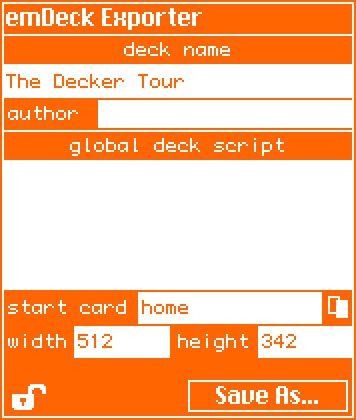
emDeck Exporter

Widget preview
A toolbox contraption to make it easier to export decks at a non-standard size, with an added field to view the global script as a convenience.

%%WGT0{"w":[{"name":"emDeck","type":"contraption","size":[178,210],"pos":[193,68],"def":"emDeck","widgets":{"t":{},"h1":{},"h":{},"w1":{},"w":{},"s1":{},"scr":{},"crd":{},"nm":{},"a1":{},"auth":{},"t2":{},"crd1":{},"export":{},"e1":{},"lock":{},"limg":{},"crd2":{},"init":{}}}],"d":{"emDeck":{"name":"emDeck","size":[178,210],"margin":[0,0,0,0],"description":"Configuration and deck export, all in one place!","version":1,"script":"on view do\n if !init.value\n  i:app.render[deck.card]\n  w.value:i.size[0]\n  h.value:i.size[1]\n  crd.value:deck.card.name\n  nm.value:deck.name\n  auth.value:deck.author\n  scr.value:deck.script\n  lock.brush:deck.locked\n  lock.paste[limg.images[lock.brush]]\n  init.value:1\n end\nend\n\non export do\n file:\"\\n\\n\" split deck.encoded\n d:\"\\n\" split file[0]\n lc:\"\" fuse \"locked:\",lock.brush\n each v k in d\n  if v like \"size*\" d[k]:\"\" fuse \"size:[\",(\",\" fuse w.text,h.text),\"]\" end\n  if v like \"card*\" d[k]:\"\" fuse \"card:\",deck.cards[crd.text].index end\n  if v like \"locked*\" d[k]:lc show[v] l:1 end\n end \n if !l d[count d]:lc end\n file[0]:\"\\n\" fuse d\n file:\"\\n\\n\" fuse file\n write[newdeck[file]]\nend\n\non pickcrd do\n r:alert[\"start deck from card ____\" \"choose\" deck.cards]\n crd.text:r.name\nend","image":"%%IMG3ALIA0gZAkXBILBqPyKRyyWw6n9CodEqtWq/YrHbL7Xq/4LB4TC6bz+i0es1uu9/wuHxOr9vv+Lx+z+/7/4CBgoOEhYaHiImKi4yNjo+QkZKTlJWWl5iZmpucnZ6foKGio6SlpqeoqaqrrK2ur7CxsrO0tba3uLm6u7y9vr/AwcLDxMXGx8jJysvMzc7P0NHS09TV1tfY2drb3N3e3+Dh4uPk5ebn6Onq6+zt7u/w8fLz9PX29/j5+vv8/f7/AAMKHEiwoMGDCBMqXMiwocOHECNKnEixosWLGDNq3Mixo8ePIEOKHEmypMmTKFOqXMmypcuXMGPKnEmzps2bOHPq3Mmzp8+fQIMKHUq0qNGjSJMqXcq0qdOnUHkGAQ==","widgets":{"t":{"type":"field","size":[176,208],"pos":[1,1],"locked":1,"font":"menu","pattern":34,"show":"invert","border":1,"value":"emDeck Exporter"},"h1":{"type":"field","size":[90,16],"pos":[87,163],"locked":1,"font":"mono","pattern":34,"show":"invert","border":0,"value":"height"},"h":{"type":"field","size":[48,16],"pos":[129,163],"volatile":1,"pattern":34,"border":0,"style":"code"},"w1":{"type":"field","size":[84,16],"pos":[2,163],"locked":1,"font":"mono","pattern":34,"show":"invert","border":0,"value":"width"},"w":{"type":"field","size":[48,16],"pos":[37,163],"volatile":1,"pattern":34,"border":0,"style":"code"},"s1":{"type":"field","size":[176,16],"pos":[1,65],"locked":1,"font":"mono","pattern":34,"show":"invert","border":1,"align":"center","value":"global deck script"},"scr":{"type":"field","size":[176,64],"pos":[1,81],"volatile":1,"script":"on change val do\n deck.script:me.text\nend","pattern":34,"border":0,"scrollbar":0,"style":"code"},"crd":{"type":"field","size":[92,16],"pos":[69,146],"volatile":1,"pattern":34,"border":0,"style":"code"},"nm":{"type":"field","size":[176,16],"pos":[1,33],"volatile":1,"script":"on change val do\n deck.name:me.text\nend","pattern":34,"border":0,"style":"code"},"a1":{"type":"field","size":[47,16],"pos":[2,49],"locked":1,"font":"mono","pattern":34,"show":"invert","border":0,"value":"author"},"auth":{"type":"field","size":[128,14],"pos":[49,50],"volatile":1,"script":"on change val do\n deck.author:me.text\nend","pattern":34,"border":0,"style":"code"},"t2":{"type":"field","size":[176,16],"pos":[1,17],"locked":1,"font":"mono","pattern":34,"show":"invert","border":1,"align":"center","value":"deck name"},"crd1":{"type":"field","size":[66,16],"pos":[2,146],"locked":1,"font":"mono","pattern":34,"show":"invert","border":0,"value":"start card"},"export":{"type":"field","size":[80,16],"pos":[94,190],"locked":1,"font":"menu","pattern":34,"show":"invert","border":1,"align":"center","value":"Save As..."},"e1":{"type":"button","size":[80,16],"pos":[94,190],"script":"on click do\n export[]\nend","style":"invisible"},"lock":{"type":"canvas","size":[23,17],"pos":[3,190],"locked":1,"volatile":1,"script":"on click pos do\n me.brush:!me.brush\n me.paste[limg.images[me.brush]]\nend\n\non drag pos do\n \nend\n\non release pos do\n \nend","show":"transparent","border":0,"brush":1,"scale":1},"limg":{"type":"field","size":[8,8],"pos":[1,213],"locked":1,"show":"none","value":{"text":["","i","i"],"font":["","",""],"arg":["","%%IMG3ABcAEQZAkXBILBqPyKRyCGo6QUvicxoVOpnNqigrhVa5WON0HB1Tl08sOJm2XtHps5IqZ5vfcLN2z18GAQ==","%%IMG3ABcAEQZAkXBILBqPyKQRxGyClEWnFDpsVplUIZa4pXa1T690Ch2Tlc7rF5kGr4/TczLeRputYnN2z98HAQ=="]}},"crd2":{"type":"canvas","size":[14,15],"pos":[162,146],"locked":1,"script":"on click pos do\n pickcrd[]\nend\n\non drag pos do\n \nend\n\non release pos do\n \nend","border":0,"image":"%%IMG3AA4ADwZAkXBILBqPQoByiQQQnUeoaMkcSqnKpxWrTXKtW2p3+vViq8Zzs4xsu4M=","scale":1},"init":{"type":"button","size":[8,8],"pos":[2,-14],"locked":1,"volatile":1,"show":"none","style":"check"}}}}}
(3 edits)

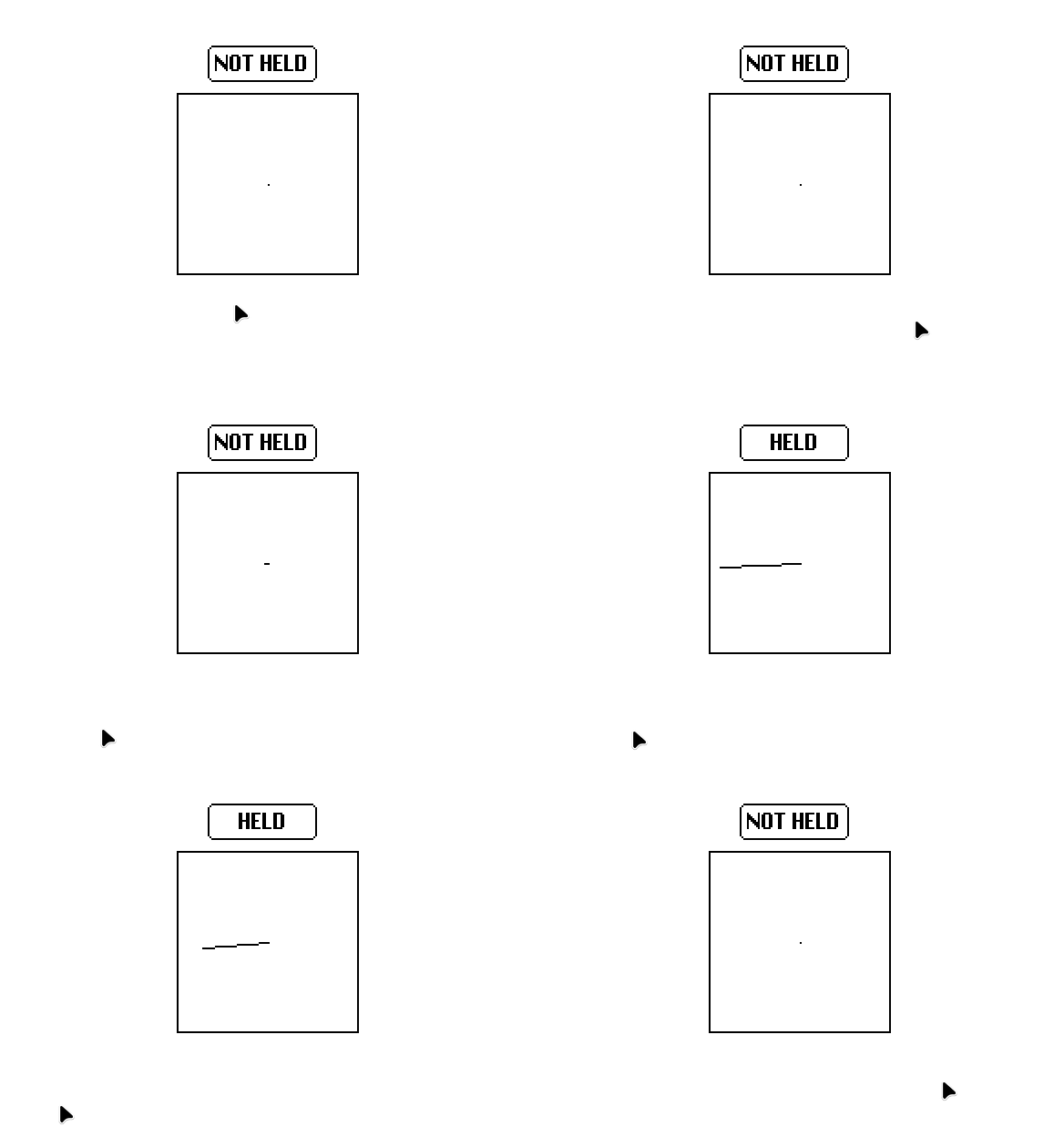
For reference, I’m using my mouse to detect inputs in Native Decker on Linux Mint.

(I added an animated button on top of the canvas to show when my mouse is being held.)

On my end, it’s a pretty substantial difference. Previously, I was using this slider widget to specifically detect changes in Y pos:

%%WGT0{"w":[{"name":"slider","type":"slider","size":[38,151],"pos":[163,94],"locked":1,"animated":1,"script":"on view do\n diff:(pointer.pos[1]-pointer.prev[1])\n me.value:(diff/1)\nend","interval":[-50,50],"style":"vert"}],"d":{}}

I get a different result using pointer.pos-pointer.prev when the pointer is held down vs when it isn’t, but I’d like them to be the same always, how would I do that?

Thank you!! If you ever decide to pick that back up and post it, send me a link! I’m also looking forward to seeing what everyone makes for the jam. ^^

(4 edits)

I also like making differently sized decks and wish there was more support for doing so - but I understand why it's better to stick to a standard resolution. Luckily, you only need to save the deck as the new size once and then it will continue being that size each time you open it. That being said, I recently made a contraption that allows you to export decks at a different size, if that helps you at all.

Edit: When I initially wrote my reply, I missed the part about wanting to change the size of the deck without having to close or reopen it - sorry! Here's a script that will do exactly what you're trying to do, but again - you may find some issues to work around if you plan on doing this.

on newres x y do
# cut the 'deck.encoded' output into chunks
 endeck:"\n\n" split deck.encoded
# get the first chunk, which is {deck}
 d:"\n" split endeck[0]
# find the 'size:' tag and edit it, though it's usually on the fourth line.
 each v k in d
  if v like "size*" d[k]:"" fuse "size:[",("," fuse x,y),"]" end
 end 
# rebuild the deck from the chunks.
 endeck[0]:"\n" fuse d
 endeck:"\n\n" fuse endeck
# open the newly edited deck and refresh the page.
 danger.open[newdeck[endeck]]
 danger.js["window.dispatchEvent(new Event('resize'));"]
end

Using the danger interface differs between native and web Decker, you can read more about it here. For testing purposes, I exported the Decker Tour as .html and changed 'DANGEROUS=0" to 'DANGEROUS=1' From the Listener or through a widget script, you can trigger 'newres[200 200]' or something similar to see how it affects the window.

Thank you! :D

Hiya! I've been keeping up with this project since you released the original contraptions to the Bazaar, and I was so excited for layered drawing in Decker that I started to write my own wrapper to view and edit layers using the older patternshop module. That was a while ago, but I finished working on it today!

Thank you again for making Patternshop and the work you put into documenting it, It's made drawing in Decker much more fun for me. ^^ (On a side note - please let me know if you would prefer if I called it something else!)

(2 edits)

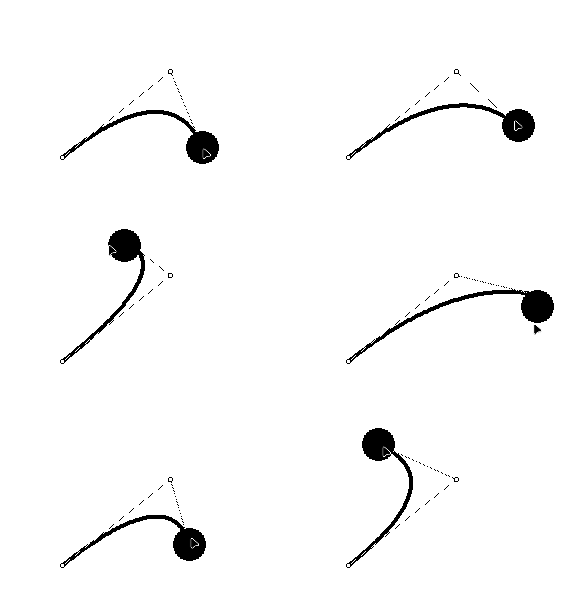
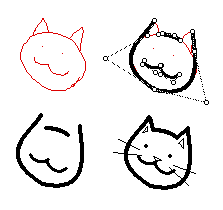
I love this!! Even though I do have an art tablet, sometimes I would rather do the work with my mouse instead. Have a Bézier kitty for your hard work:


For anyone else doing this, you can do a sweeping-select of every widget and lock them all or assign show:none/show:transparent all at once. From the listener, you can run the script 'deck.card.image:app.render[deck.card]' to flatten all visible widgets to the card background.

I immediately saw a future where this can be used to 'tether' other widgets or create wiring:

# this is a script attached to the black sphere, which is an animated, draggable canvas widget.
on view do
 p:"\n" split bezier.coords
 newpos:me.pos-bezier.pos-(floor me.size/2)
 p[2]:"," fuse newpos
 bezier.coords:"\n" fuse p
end

 (As a note: When using a larger contraption size / more handles on the Bézier curve,  the script profiler shoots up anywhere between 20%-70%, I didn't have any performance issues while using this on Decker native, but after adding 3 handles to a single curve, usage went up to 200%, and I wasn't able to edit it anymore. )