
Indie game storeFree gamesFun gamesHorror games
Game developmentAssetsComics
SalesBundles
Jobs
TagsGame Engines

clansing

284
Posts
2
Followers
A member registered Jan 07, 2020

Recent community posts

(1 edit)

Further hint (bordering on, or crossing into full spoiler):

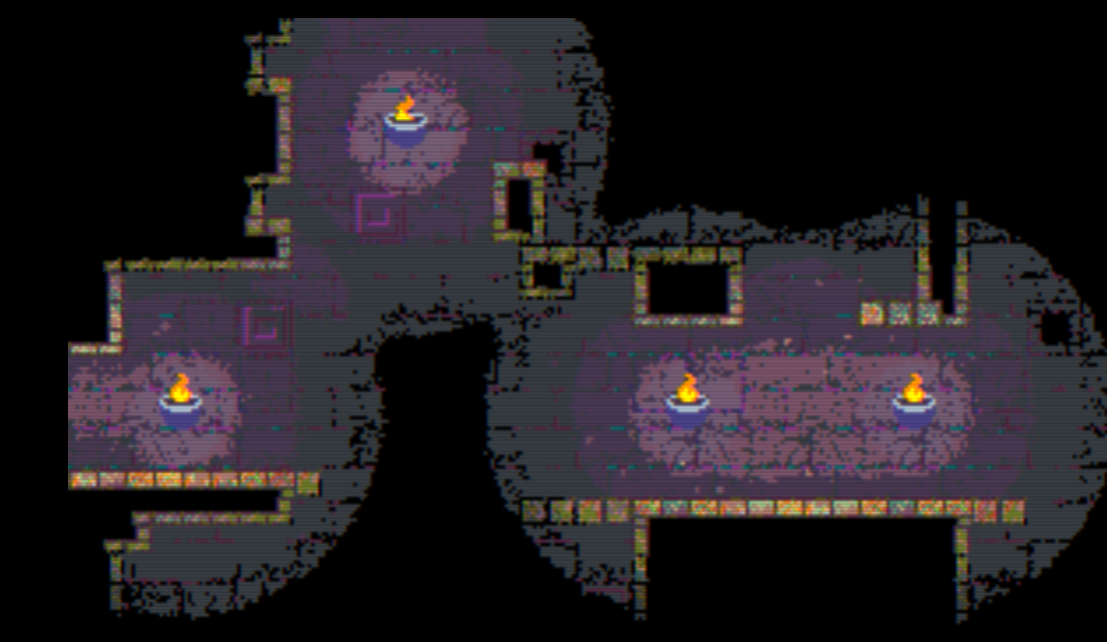
Assuming you are missing the one that I was - (and it sounds like it) the one hidden off the mimic room - there's two adjacent rooms with openings in the ceiling. One of those openings is hard to see because it's actually a ladder, so due to certain UI choices it kind of blends in with the ceiling. You need to reach that, using the blocks in the room and climb, not just jump up.
Thanks for looking into that. I just gave it another try. I'm still getting only about 1 FPS normally in fishing - but if it helps, I realized I can get it up to 7-8 FPS if I shrink my window.

Black hole fishing seems to have some performance trouble. I don't know if it's related to my hardware, or my browser, or what, but instead of 15 fps (which isn't amazing, but workable) in the farming screen, when I go into to the fishing screen it tells me 1 fps - and I kind of suspect your display is rounding the fps UP to an integer.

Ah, thanks. As soon as I knew what room to look in I spotted it, but I'm not sure I would have seen it without knowing I needed to look more carefully. It was a little... obscured.

Same here - I can find 6, can't find the 7th. As for the room you're talking about with the slope, if that's the one with the ladder in the middle of the room, you get on top of that 2-tall block from the other side. In the room where you have to make a 3-step "staircase" just past the ladder, you fall down the right side to come in the "back" way.

If you didn't get that totem, and you still got  6, then you've clearly found the one I didn't, and I can't even guess where.

So, my immediate thoughts after a few levels:

Has potential for some interesting interactions. And the graphics are kind of cute. Good fit for the atmosphere the game seems to be trying to establish. But it really needs a full-screen option or something and/or some improved contrast, because it's incredibly hard to see which rooms have doors or not sometimes, especially on my laptop screen (and I assure you that's a size thing, not a display quality thing), and the brown text on brown "speech balloon" explaining the rules for exiting a level is almost completely illegible. It took me a minute to even realize which rooms the tutorial was suggesting I swap, because I couldn't see that the doors were actually the wrong way around on two rooms to start between the low contrast and the tutorial instructions obscuring them.

Oh, don't worry, by the time you get down to about... maybe level 40-50 and get a bunch of upgrades you won't spend time clicking on monsters either. The screen gets so busy that you'll lose track of your cursor every few seconds, so there's no point in trying to click anything.

Hey, I did see your other comment before you deleted it, just didn't have a chance to reply the other day. Pinged you on Discord (assuming I remembered the username properly).

What can I say? I'm very "skilled" at accidentally finding bugs 😂😉


Thanks for the workaround, I'll give it another shot, and try very hard to not hold right if I panic and run out of the adjacent room and fall 😅

If you fall into this screen from above, it seems to soft-lock. You fall down the right hand side, and just disappear. Exactly how I fall down there, I'm not sure, but I've managed it both times I've played. I think I might have fallen from the screen one up and right, but don't quote me on that - I was trying to dodge the monster both times, and fell. I can attempt to reproduce again on video if you need.

Just encountered the same bug.

I figured out the one you're missing (9), but it took me a while. The blocks need to all  be very specific numbers when they land on the switches. The clues for the numbers are in the map. If you need more, let me know.

Pretty sure I never would have gotten 2, 5, 6, 7, or 8 without your solutions, and I still don't understand 6...

(1 edit)

I can sometimes hit the forge button, and sometimes sell an item to a customer. But it requires a LOT of rapid clicking to happen to hit a moment when the button will actually allow clicking

I'm curious, was the code AI-generated? Because this is a bug I've been seeing show up A LOT in these kinds of games, and I'm really starting to suspect that whatever is generating the code is somehow generating the same buggy event handler over and over and over. Either that or a lot of people are copying from the same broken blog, and I need to go send a grumpy message to someone who probably slopped out a blog post.

Not sure if this is a bug or an intentional gameplay decision, but it seems like if you grab a word but don't make it out the door, the word is not restored onto the map when the map resets, and the word is also not added to the list of words when you do finally reach the door in a following attempt?

Ah, cool. I'll give it another shot. I did find the 15 second timer a little tight and frustrating for my taste, but I'll see how it feels when I know missing the timer won't lock the game. ;)

Seems like on level 2 I can reliably soft-lock the game by not entering a full 20 step sequence - character reaches end of the entered sequence and never resets. Also I notice the timer seems to stop at 1 second before the sequence starts running instead of 0 seconds like on level 1. Not sure if those things are related. Not going to play it any more to try isolating the bug, so hopefully that's enough info.

Puzzle design... Lucas, you are absolutely evil, and I mean that in the best possible way. This game is hurting my head, and I love it. Part of me wants to start over to review the mechanics as they come up again in case that's why I can't figure out what to do next. Part of me is terrified that I'll forget how I freed the orange key, and spend an hour figuring it out again

Seriously, top notch work everyone!

(1 edit)

For what it's worth I had the same problem as the OP. I looked at the calendar, thought "well, I don't see days, but most calendars I've seen start on Sunday, and went through the whole puzzle on that assumption. Took me forever to finally go back and reconsider that assumption and swap my last two names to finally make the rest of the remaining clues make sense. And then when I saw the hint from Merulon about the hint in the agenda, I went back and looked and was even more convinced I wouldn't have gotten it if I'd seen that. A New Year's Eve party on Sunday might have clued me in if I'd noticed that, but a New Year's Party? Is that a NYE party? Or a party being thrown on New Year's Day? Obviously, with the benefit of hindsight, it's the former in the context of this puzzle, but I wouldn't have assumed so.

However, that problem aside, quite enjoyed it.

Took a while, but beat it. Progression was fairly consistent and balance seemed fair. Few times it felt like it was about to slow down, but there was always an upgrade that restored the balance just waiting.

I never did figure out what the crab was for though.

(1 edit)

I probably just misremembered the positions of things when describing it. Looking back at the original comment I was responding to, Marie75020 was one step short of being able to leave the room, not one step short of the exit space, so I clearly just had a brain-fart when answering that one, and mentally put the star one space back from where I thought Marie was (obviously I didn't have the star there anymore myself to check it). Mea culpa. I'll update that comment so it doesn't confuse people ;)

A clicker game that uses repeated right clicks instead of left clicks? I'll admit that's different. My trackpad has some... opinions about that.

Huh... does seem easier. At least mentally trying to walk through it it seems to get to the top right exit pretty easily, I'd have to play back through it to try. Not sure why I wouldn't have seen that back then. Maybe there's a path to getting to that point in the game that doesn't reveal the "largest flag gets used" mechanic so I hadn't realized that would work? 🤷‍♂️ Nice catch though, especially since so many people seemed stuck on that one back when it first came out.

I might have to play this again sometime. It was a fun little brain-bender.

It's been three years since I played this game, but... yes, I suspect I did in fact mean 11,17, you're right (if I remember the grid numbering/layout)

That was pretty good. The last level, complete brain-bender. I finally solved it, and I have no idea how. I'm not sure I could beat it a second time lol.

Keep up the good work!

I respect your vision.  But the time I spent across two days trying to get through that area lies in stark contradiction to your confidence that people will be able to get it. There hard, then there's "Nintendo hard".... then there's whatever this is.

Guess I'll just choose to decide that's the end of the game, that you forgot to put the "The End" screen down there, and that 100% collection is merely a completionist target. Under those qualifiers, good game.

I was quite enjoying this until I got into the area with the background that has the planet with the cloudy ring. I don't know if it's a skill issue, missing an upgrade that would help me get out, or missing an alternative exit. But the only way I see to get out is a very unforgiving jump across three fireballs, up through a tiny crack, and backward through the spike area that got me down in the first place - with no checkpoints.

Up until that... the jumps seem really delicate -  trying to jump off the very edge of a platform seems doomed to fail more often than not, and precision platforming with no jump height control is very painful (but may be part of the intended challenge). But otherwise, pretty enjoyable.

(1 edit)

Wish I'd gotten here a few hours sooner to provide some input on this. I adamantly disagree with the user above re the mouse. While CTRL+<any letter> is going to be a bad time because of keyboard shortcuts (although I got a laugh out of one game that forced you to reconfigure the controls as a game mechanic... and tricked the player into bookmarking the game half way through), the mouse is the wrong control to use for this. A mouse isn't a button, its primary function involves positioning. By using the mouse as an input, it provides the impression that interactions should be oriented using the mouse - which is an entirely reasonable UX, but obviously not what you decided on for this game. And unnecessary mouse use makes a game more difficult to play on a laptop with a touchpad.

I see you left CTRL+arrows in as an alternative, and that works perfectly fine, so adding the mouse as an alternative here didn't hurt playability (although it's still not the right use for a mouse). But don't let the previous commenter's opinions fool you into thinking the mouse is actually a good/better "button" as you make future updates/games. From a usability perspective, using it for that purpose is wrong, because it implies a control scheme that it isn't being used for, and I spend WAY too much time explaining this to developers.

HOWEVER - two handed keyboard use then would be aided by not needing the mouse for menus.

I'm not going to fill out a form, but I will provide a little feedback. Mouse aim + camera/viewport that sometimes lags, sometimes leads, and sometimes stays fixed? Is the purpose of the UI to add artificial difficulty by making aiming feel unnecessarily unreliable? Because if it was, mission accomplished.

Was cute for a while, but trying to clean the Downpour level - nope, not doing that. I tried, but I'm giving up. Paint stuck in ceiling, no way to get close because the water gun has to get INTO the ceiling WHILE firing it downward constantly in order to get anywhere close to the ceiling?? Absolutely not. Not worth the effort of replaying the whole thing and trying to not get paint in the ceiling just to avoid that moment again just to see what's beyond the next (last?) door.

Up until then though, no complaints. But that ruined it.

Downstab? I didn't even see that was a thing when I played the first time. That's one of my favourite melee mechanics in a platfomer (I think it was my most common attack in Hollow Knight). So I thought I'd give it another shot, see if that made it easier.... and found a bug. First boss, if you beat it while standing on the ledges, the flaming hover effect floats you into the room above, and you get stuck in the floor.

And the flickering button bug rears its ugly yet expected head on yet another idle game. I think that makes the fifth one in three weeks? Not as bad as some other instances of it - but when hovering over a button to buy an upgrade, the button appears to flicker, and sometimes ignores clicks (unlike other instances of this thought where you have to click MANY times to get it to register, this one just misses a click about 30% of the time).

Is EVERYONE publishing idle games on here now vibe coding with the prompt "and please break my buttons"? Or what's going on?

I wanted to like this. I really did. It started off well. I liked the look of it. I've always enjoyed Metroidvanias. I found timing the attack to hit enemies without them hitting me took some work to finally figure out, but that's probably a me problem. 

But the up arrow to climb off the ledge feels really awkward (and frequently doesn't work for me - I'll bounce off the ledge, and then just grab it again instead of getting up, and have no idea if that's a bug or if I'm doing something wrong). Down + UP at the same time is almost painful to  use the parry (and I honestly never figured out whether the parry was supposed to work on some of the projectiles or not - the floating balls in the spike area either couldn't have their shots parried, or my timing was just bad). I probably should have just given up on the keyboard and gone to dig up my gamepad.

Also the brief delay on movement after getting hit tripped me up in the spike area CONSTANTLY. I'd get knocked into the spikes, try to jump, not jump, and by the time I realized the jump didn't trigger, I'd take another hit from the spikes. The knock-back also made it so that I couldn't even get through the spike area after something like 40 tries, because I ALWAYS got knocked off the platforms - the balls ALWAYS seemed to shoot when they were lined up with the platform I was trying to jump on. And blocking the shot? NOPE. Knock-back into the spikes. I'm sure someone will just say "Skill issue" - but trying to get into melee range of something with a projectile attach that knocks you back every couple of seconds over vanishing platforms that exists for only a few seconds over spikes that ensure you have to start the whole sequence over every 15-20 seconds just stops being fun.

And I get that you were going for some narrative thing with the whole quicktime event with anxiety as a penalty for missing - but as far as I can tell it has no gameplay purpose or effect except to make people like me need to take 4-5 attempts to use a checkpoint (and I guess to make it take longer to run a boss fight).

Ah, the flickering button problem surfaces again in yet another game - 4th one I think I've seen in about three weeks. I'm pretty convinced now that there's a bug that these AI coding tools are somehow trained to keep reproducing. I look forward to the day when coding becomes art, science, and engineering again, instead of prompt-and-pray. Maybe I'll be lucky enough to live to see it.

Until the author figures out the prompt to fix it, just click the button really fast - you'll probably eventually catch it during an enabled frame.

(2 edits)

Please do not let this wall of text I ended up writing discourage you. It ended up long, but is not meant to be discouraging or imposing lol.

I did see where you said this is your first game, and I wouldn't elaborate on all this if I thought learning how to understand and begin thinking about UX wasn't going to benefit your projects. So...

I was tempted to not say anything, because the other comments already talked about the controls, but I've written comments on this topic often enough now that I should probably just make a blog post somewhere, so I'll help add some usability/UX modelling to this:

The first player who commented about not using a mouse for a game like this was entirely right about that part. But it's not an issue of two hands (necessarily), it is usually an issue of it being the wrong input method (a mouse is designed for spatial interactions - when using it strictly as a button input it violates the mental model of what a mouse is, and adds an unnecessary barrier for laptops), and also under-utilizes what's more-often-than-not the dominant hand.

Also AD move with WS+mouse attack has the somewhat weird effect of splitting your attack inputs across multiple hands, AND making the left hand have to handle conflicting things - two keys are move, and two keys are aim, which means more mental processing is needed to keep track of the conflicting actions in WASD. Not that it's wrong - but is something to be aware of when planning out control schemes.

Using two hands can be (and often is) a very good interaction model though, because it's often good to separate "concerns" between hands. Most people naturally use two hands for things, with each hand doing things to complement each other - for example supporting something with one hand while interacting with it with the other, or with many video games one hand handles movement, the other actions, or one hand - often the dominant hand - handles spatial movement requiring fine motor control like looking around/aiming with a mouse, while the other hand handles "commands", etc. Putting everything on one hand, even if everything fits comfortably, is more mental overhead.

Not that designing to support single-handed input is a bad idea - somebody may be balancing their laptop with one hand, or for various reasons only have the use of one hand - but that's a very difficult thing to do, because now you have additional problems to account for - the fact that you have very limited space to put all the controls, as single-hand reach is MUCH less than the amount of keyboard you can cover with two hands, AND you have to account for the fact that you may have multiple conflicting actions to perform with a single hand. For example, if you have to jump, and attack, while dodging left and right, you now have four actions all needing twitch reaction timing, at least three of those needing to be handled by some combination of your non-thumb fingers. There are... potential... control schemes that could allow for that somewhat comfortably - but they'd be weird, and non-standard, and you'd still be using at least one of your ring or little finger for twitch movement - which would be quickly tiring.

For these reasons, the second poster who commented about putting movement on the left hand, and actions on the right (but still on the keyboard) - or alternatively movement on the right and actions on the left - will be right more often than not. (there are some limited cases, like if you only needed left, right, jump, attack, you might get away with a single hand WASD+Space, with W jumping, space attacking, but even that's a bit awkward). With the number of actions in this game, it's very easy to think of combinations that are almost impossible to hit comfortably (like trying to heal while attacking something above you, or move left while attacking up).

I know that was a lot to read, and some of it may be a bit rambling, but if anything in there piques a bit of curiosity about UI/UX design, then my work is done ;)

(1 edit)

Not bad. Similar to the other commenter, I was a little confused about how to gain influence until I just sort of suddenly got enough to build the first influence building. I'm not sure if I got a random event I didn't notice, or if it's because I reached 100 thralls - so a little extra info in game might be nice.

Also, with the progression balance, I noticed the first time I was stuck at around the second era (I might have researched the 3rd, but then made basically no progress in it, if I remember). After torpor, I blitzed my way to the 5th era barely even feeling like it was slowing down until it just.... basically stopped. The sudden need for thousands relics that you've barely been able to buy producers for just turn it into a waiting game. There's really not much point in doing anything else until those accumulate (which they did while I was writing this, so guess maybe I'll Torpor #2 on era 6)

The weird thing to me though is the buttons. They just sometimes don't work. I also notice they flicker a bit when the mouse is hovering over them. This is actually the second time in the last couple weeks I've seen that behaviour, so I'm starting to wonder if this is an engine bug that people are tripping over, a mistake in a tutorial somewhere... or a bug that AI likes to produce when vibe coding idle game loops.

Ah. I see. Let me guess - a future goal for "add bot to ground station" was supposed to clue me in to that? ;)

Joking aside, glad to hear you're looking into the pacing and clarity. I did find myself starting to get a little lost on where I was going next, what my goal was, but I think what you've got here is kind of cute so far, and has some potential!

Looking interesting so far. One small issue I ran into was the "missions" (like "Collect 50 Pollen", etc) apparently mean "starting now" - which normally isn't a problem, but is a problem if you already launched all the satellites before the "Launch a satellite" missions shows up. I don't know how much impact that has on the game or gameplay hints, but it's at least a thing that can happen.

Game becomes virtually unplayable after a while. I'm not sure exactly what caused it, but it's not a memory leak or anything that can be fixed by refreshing the page, as the frame-rate dropped to something in the range of 10 SECONDS PER FRAME. Firefox on Windows 11.