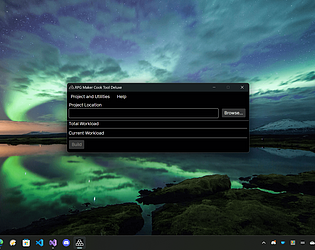
As a sanity check, could you disable the "Package files" option? I want to check if there is an issue when packaging the game's files. It's possible that there's a bug when determining the path for each file (I'm assuming that the font should be on the game's folder, but somewhere in the tool, it gets the wrong path).

AceOfAces
Creator of
Recent community posts
Hello, Daisuke Tanaka!
Looking at the second JSON file, the '?' on the "main" field is causing the crash. I'm working on a hotfix for this (alongside a change so it doesn't discard any extra settings you have on it).
As for R6 not working on your game, does it work if you disable both Deep Level Encryption and Source Code Protection?
EDIT: The hotfix is now live.
I see.
If you are going to stick with version 0.72.0 of nwjs, you can either:
- Set v0.72.0 as the default for new projects via Projects -> Default Project Settings -> Edit. Note that this only applies on new projects.
- Or (if it's just this one): Projects -> Project Settings
On the Essentials tab, you'll find the setting that selects the version of nwjs. Simply select 0.72.0 from the drop down.
Hmm... This is certainly weird. I do wonder if it's a specific issue with the version that the tool uses by default. To test this out:
Download v0.53.1 of nwjs (the sdk version) from here: https://dl.nwjs.io/v0.53.1/
Then open a command line, cd to the nwjs folder (after unpacking) and run nw.exe --nwapp="<path to the game>" (Replace the <> with the actual path). If it also happens with that, then it's very likely that there's a compatibility issue with nwjs.
Hmm... This can happen due to either:
- The version of nwjs you've selected is a bit broken and just crashes when it tries to load the binary versions of the js files. This is more prominent in older versions (before version 0.43.3, I believe)of it. A workaround for this (if you can't use newer versions of nwjs) would be to use the Metadata Editor (found under Utilities) and add --no-flush-bytecode in the JavaScript Flags.
- The more likely scenario would be that a file wasn't included in the packages (when it should have been) and the bootstrap would assume that the cache is broken (and thus, close the game). I'd need to take a look at a build of the game to examine it, so please send me a test build so I can diagnose it.
Hello, heiSei!
It's a conflict with the "Protect Source Code" option. You can fix this by changing line 298:
const DotMoveSystemPluginName = document.currentScript ? decodeURIComponent(document.currentScript.src.match(/^.*\/(.+)\.js$/)[1]) : "DotMoveSystem";
to this:
const DotMoveSystemPluginName = "DotMoveSystem";
It's rather weird that this error happens when "Package game files" is turned on. I want to take a closer look at whatever logs are available (accessible via Utilities -> Export logs). Maybe I can find the error.
As for the second error. I'm not sure why this happens, but I have a suspicion as to what's causing it. I'll look into it and send you a test build.
Hello, YoBro!
- About the first issue: could you explain with what is going on the project? I see that it's loading plugins (I presume) from that folder, but I want to have a clearer picture as to what it does.
- For the error in index.html: I'm not exactly sure why is this happening. Most likely, a formatting error is inserting this, but since it doesn't break the plugin loading, it's mostly a fluke.
- For that last one: Does this happen when you launch the tool for the first time?