

Didn't seem to work. Just got error messages instead.
I got that error as well my first time. Did a few times afterwards as well. You really have to go slow and be mindful of the edits so you don't accidentally add a space somewhere or remove a comma or bracket. It's like code. One tiny little mistake and the whole thing doesn't work. But it does work.
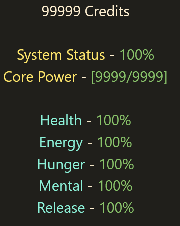
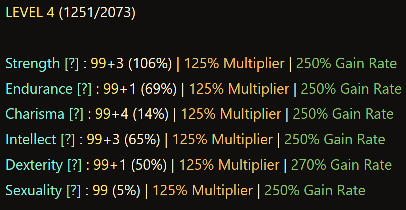
Try only a few changes at a time, instead of changing everything you can think of on the first go. Otherwise you won't know were you messed up. I recommend sticking to changing only numerical values and not changing strings of an item in your inventory into another item. Like say a 'Ration' into 'Ice Cream.' Game didn't like that, seems like other values need to be changed. You can 'fix' items durability this way as well. 999 durability looks like it's at 100% all the time, same thing with your 'needs' being over their max value. It seems to work fine, but I've had one or two weapons not work correctly and I'm not sure if I accidentally bugged it while editing or if it was like that before hand since the game is at an early stage.