

Hey, to export JSON in Aseprite click "File > Export Sprite Sheet" and enable the JSON data checkbox.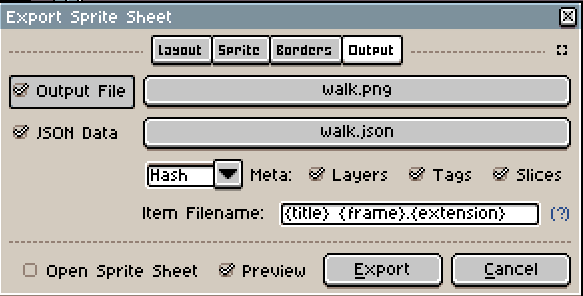
I am not sure about the specific settings, the unreal engine expects but you'll surely find a tutorial about that.
The animation files are organized by animation type, so the walk.aseprite file includes the walk animation of the character in every direction (up, down, side). If you only want to export the "walk down" animation, for example, you could make a copy of the aseprite file and cut the unwanted animations out.
Open the "Sprite -> Canvas Size" Options and make a selection like this: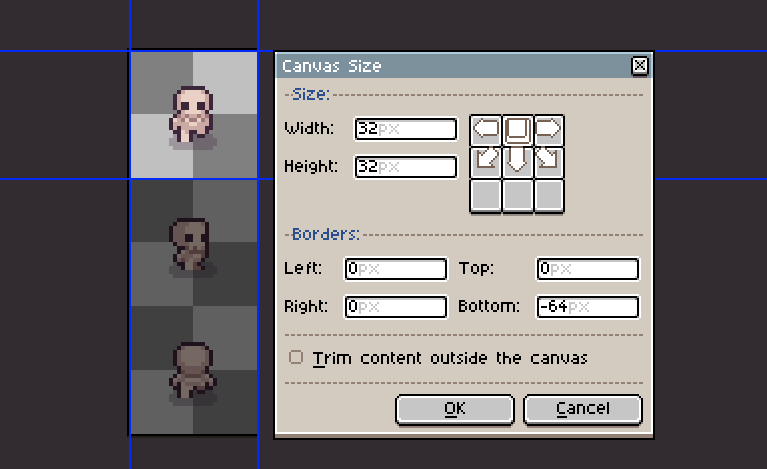
I hope that helps :)