
Indie game storeFree gamesFun gamesHorror games
Game developmentAssetsComics
SalesBundles
Jobs
TagsGame Engines

Hi! I have plugin that changes the skill locations in the skill note tag. With you battle plugin it doesn't work at all. 
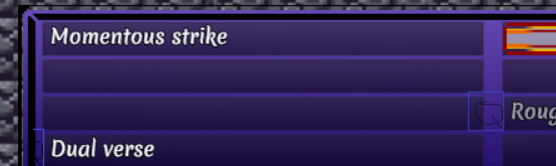
Without it works fine.


Do you know of any solution?

Please tell me the plugin's name and where to get it, then I will have a look

(1 edit)

https://drive.google.com/file/d/1bHwGSVoJ9F7Q4EKBMyZyFftGntqOz_8b/view?usp=drive...

T
ell me when you have it.

When you received a read request from "m.kampermann@gmail.com", that's mine

Yeah haha

Hi. Did you get a look at it?

Yes, but I haven't located the root cause yet. I will refactor some of my code sections in the next update anyway, and I hope this will resolve it.

Also, you can try out different plugin orders.

Okay. The pluggin order wasn't changing anything.

Hi. I've updated all your plugins but the issue persists. Are you still having the same issue on your end with the skill order plugin along your battle plugin?

I will check it again on the weekend.

In a quick check, I noticed that the plugin you are using claims to be for MZ; however, it contains an MV method call. That could be an issue, but it's too early to confirm.

Alright, cool. You can change it as much as you want.

I had the time to deeply investigate your plugin and my first impression is confirmed: The plugin was made for MV. There are several reasons why it doesn’t instantly crash your game but still manages to stay functional in some situations. It would be best to ask ChatGPT to re‑write the entire plugin specifically for MZ.

Please also add to your prompt that it shouldn’t adjust any window sizes, as MK already handles all window layout logic, and having two plugins modify the same functions usually leads to conflicts.

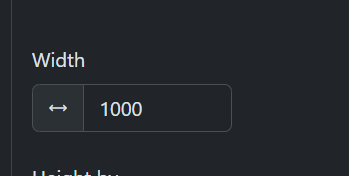
If you need more than the 3 columns that MK provides, you can always open the configuration files in your_game/uicustom/config_XYZ.json and manually enter any number you prefer.

Please understand that I don't manually fix AI‑generated code, as my available time is already limited.
(2 edits)

Okay, after so many tries it finally worked. I have something else to ask.
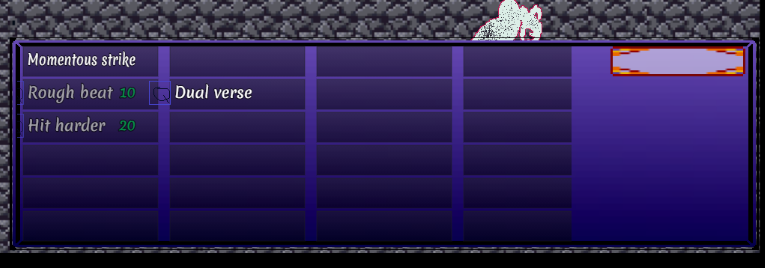
When I increase the width for my five columns, it behaves like this...


You probably just need to restart the game (F5)

You're right. With so much tinkering with my other plugin, I forgot the basics.