

Tutorials Page 37

Hello everyone! Today I made a video of first 10 minutes of Cute Adblocker's Game play ! I hope you all enjoy. Don't forget to share your thoughts or upload you...
1 file

Here's the in-game tutorial for you to read while you download the game's source...

After I published this game I got a bunch of questions about how I generated the planets in Bitsy, so I wanted to write up a devlog in case it's helpful for fol...
1 file

I’m working on a tapedeck for APOTU, throwing a few sneak previews onto twitter in the process, and got quite a few requests for walking through a how-to. So...

This is part two of a tutorial series, I highly suggest checking out part one first (its way more interesting). Find it here: https://mjm.itch.io/tree-game/dev...

I created Room Modifiers as a way to make each room unique. They appear in each room randomly and provide a different challenge for the player. Ground Shock...

Welcome to the first devlog for Gravity Ace! My plan is to give you a look behind the scenes. You'll have a front row seat to see the decisions I'm making and...

Normal items are items that cannot be found twice in the same run. They usually change the run more because of the variety of stats or things they change as com...

I wanted to share a series of posts where I include wiki pages on Toybit Quest so that players will have more information about the game. I will start with list...

This is part one of a series of tutorials on procedural Tree’s, using L-Systems. Based off how I did the tree generation in Tree Game. There will be three par...

If you want to stream your games but you’re not sure how to set it up, then you’ve come to the right place. In this little guide I’ll explain some of the...

Hi all! Before we dive in, we’re Multithreaded Games and we’re working on a turn-based, gridless, tactical RPG called Wellspring: Altar of Roots—you might...
1 file — 1.3.2

As one of the intricate part from the Paper War mechanic, I uploaded a tutorial video of how to make a simple tank barrel, using rubber band, A4 paper, and big...

Since the controls are somewhat complicated for this game, the development team decided to write a quick tutorial about them. Get your beak ready to peck some k...

Hello, all. DiamondDust132 here with a quick update. A walk through for Passion High 2.0 has been completed! Someone asked for a route tree awhile back, so I th...
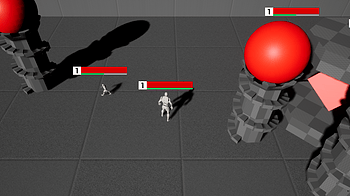
OpenMOBA has been ported to run on UETOPIA. This is an open source, blueprint based game that uses Unreal Engine. If you are interested in building your own M...

Grab your friends, the more, the better. Host a tournament. The winner gets a key to claim this game here and over Steam (when it would be available there). Als...

I can't find the pie menu on my active sim for Fitness Controls to open the in-game settings menu. The script portion of the mod might not be installed properly...

Make the Unity Editor work for you and your game! It takes an incredible amount of work to create a fun, polished game and release it on a platform for players...

Grapple Bear is a 2D skill based platformer with a swing mechanic. The game is hand-drawn and coloured digitally. I will be taking you through my my level desig...

The Goal Many common game features can benefit from using a fill effect on an image. You may be filling in a loading bar, health bar, power up meter, or creatin...
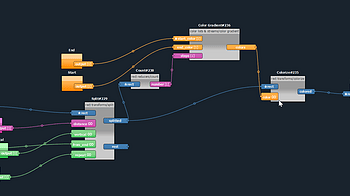
Rectitude is a procedural (or generative) pixel art editor. In Rectitude, the user first builds pixel art generators then use them to get results. For example...

Hold on, why are there so many items? With the arrival of the Progression Update , EpicShop now has a BUNCH of new items. Not even kidding, we are talking over...

Today we would like to outline about a different way a player could play and potentially win some Ethereum on EtherKnight @ https://etherknightgame.io , if you...
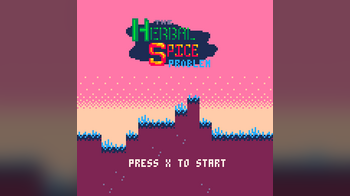
I've been thrilled by how many people seem to be playing The Herbal Spice Problem , but at the same time, most of the comments that I've actually heard back fro...

I'm excited to announce that The Canvas Editor is now Open from Mosha Online. You can Create your own Worlds with incredible Music and Filters and publish it t...

Day 1: Walk to the center of the level, there should be a human standing on a brown landing. Click the person and observe the direction they walk. Follow them...
1 file

Hey all, I just wanted to share my process of producing eye catching thumbnails on itch. After a lot of trial and error, there are a few rules I now follow cre...

Hello! I'm Tete-chin and I'll talk about some hints in the game to get the three endings and how pass the battle minigame easily. For the 3 endings: Ending...
1 file

log.[in] walkthrough This guide will teach you how to: Get both endings. This guide will NOT teach you how to: How to trigger secret events. Where to find all...
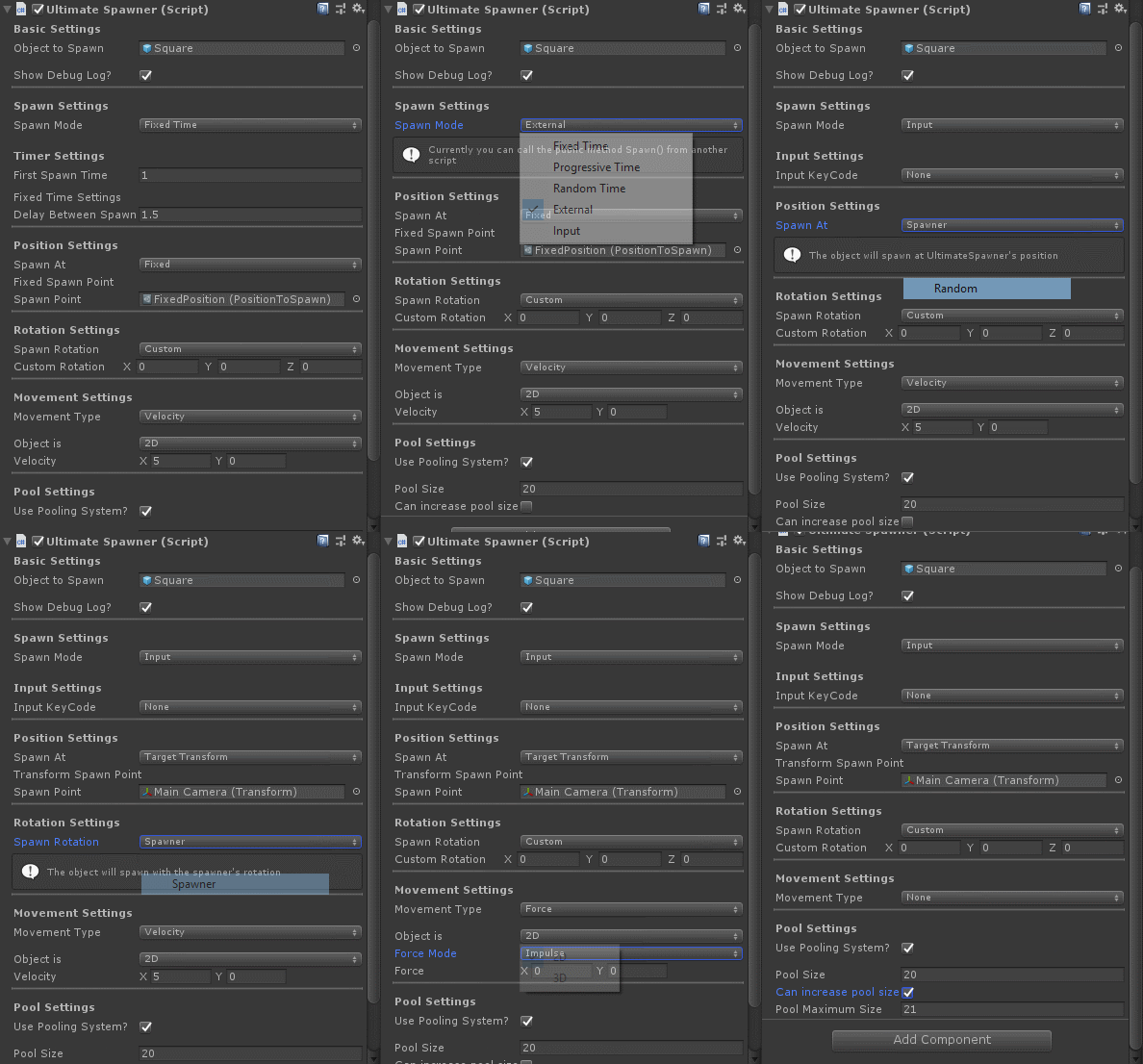
Basic Settings In basic settings you have only two fields: Object to Spawn - Here you select the prefab to be spawned Show Debug Log - Toogle on/off debug.log m...
1 file

So today was all about particles . After what seemed like eternity I was able to get the weapon pickup to have a revolving bullet particle. I have attached so...

This is a short collection of intermediate tips and tricks for using sprites/textures in a Godot scene. I wrote it as response to this question on reddit. Comp...

Goblins! VR: Implementation bits and pieces Part 2: Fixed-movement levers This post goes over the UE4 Blueprint method used in Goblins! VR to create a fixed-mov...

Goblins! VR: Implementation bits and pieces Part 1: Hi-Fi and Cassette function This post goes over the UE4 Blueprint method used in Goblins! VR to create casse...
1 file

!! this tutorial can also work with the new 3.x version Godot, but in certain places there are already bigger differences !! The first thing I usually do on a n...

Hi Portians! By now you may be nearing close to the end of our latest story content update, or have finished it already, and want to know when the next update w...

If you've pre-ordered or purchased Prank Masters before the Steam release, you can now claim a free Steam key for Prank Masters. 1. Go to Prank Masters itch.io...

I'm guessing some people might be interested in how I did the robots being "build" which well obviously involves hacks but here I'll share what my dialogue box...
1 file

Due to its nature Cooktale had to be designed with Joystick as the main control scheme. That doesn't mean keyboard controls are non-existed; they were still imp...
1 file

Thank you so much, everyone who's downloaded the game! In commemoration of hitting 1,000 total downloads between itch.io and GameJolt, I whipped up some new art...

Fitness Limits custom packages You can create your own custom limits presets by opening a preset package with Sims4Studio and editing the two resources inside...
Loading more posts...