

Tutorials Page 18
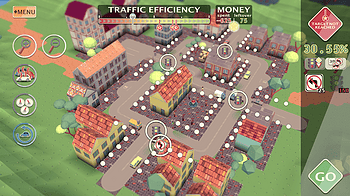
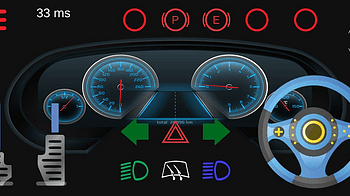
Hi, Here is another video explaining the mechanics of my game. In this video, I'm explaining how the road priority signs work and when to use them. Advantages a...

Stars of the Screen presents itself as a gallery with a bit of a mystery… and perhaps, some players may never find the other part. So, if you’d like to unlo...
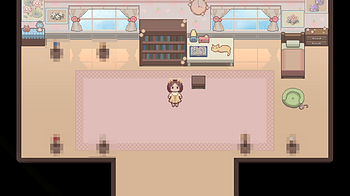
*RECOMMEND READING AFTER OBTAINING THE NORMAL END* I figured I should probably write this since the other endings aren't as straightforward as the normal ending...

Enter - generate a new constellation 1 , 2 , 3 , 4 - select one of the preset styles [ , ] - make stars smaller or larger / - reset the size of stars N - toggle...
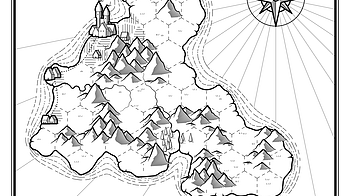
Keyboard shortcuts: Enter generate a new map Shift+Enter discard manual changes Ctrl+Z restore a previous map [ , ] rotate the map by 90 ° Tab open the Region...
Hey there! 👋🐷 I want to show you how to use these recipes by making a game using the Platformer Essential Recipes together with Pixel Frog's Kings & Pigs...
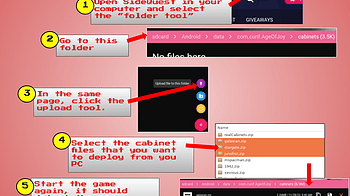
Get and deploy cabinets assets To copy cabinets to your headset, you’ll need a Sidequest working installation with access to your Quest 2. Download cabinet as...
Welcome to this week's devlog, slightly different from the usual, this will be a multi-series post as we work on the Questing System for the game! One of the mo...
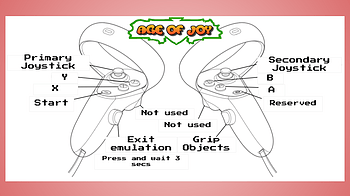
Quest Controls The AGE of Joy behavior differs where you are in emulation mode or in simulation mode. Simulation mode : you can walk and move inside the simulat...

Hey there! 👋🐷 I want to show you how to use these recipes by making a game using the Platformer Essential Recipes together with Pixel Frog's Kings & Pigs...
A lot goes into making a game. In addition to games being one of the more technically challenging programming projects, they are an art form unto themselves. Ga...
3 files
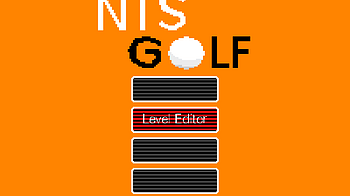
The game has a level editor, which is unlocked as soon as you launched the game. Maybe you just want to create something, or you already completed the game and...
So, you have a mode in your game where after you finish a level, it throws you into the next one. I don't know if anyone else ever struggled with this, but i fi...
1 file
This post is a primer on how not to do UI in Love2d . Read at your own peril. You can follow along with the code examples using the project library on gitlab...
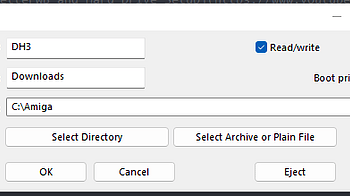
NEONnoir Installation Guide Since a few people have been having a hard time getting the game to run, I’ll do my best to do a step-by-step guide to installing...
1 file
While I tried to give as many clues as possible, there wasn't time to do extensive playtesting, therefore, it's possible that what I think makes sense is confin...
2 files
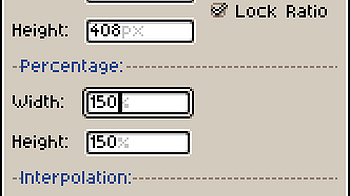
hey everyone, just a quick tip on how to get bigger source and final tiles. all you gotta do is scale up the entire file size. assuming you'll be creating your...
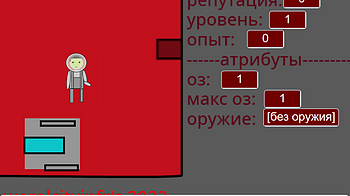
1. МИР МАРСА - ОПАСНОЕ МЕСТО! Когда вы попадёте на марс, вы поймёте, что вам необходимо име...
1 file
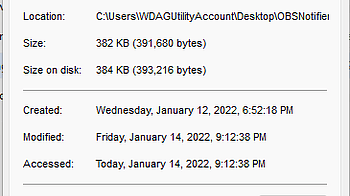
Installing the OBS Notifier In short, you just need to download OBS Notifier and connect to obs-websocket. Tip: If you need to view screenshots in full resoluti...
Update: a version with all media restored is on my blog ! And if you're reading this in the far future and it doesn't work, it's got its own fancy domain now so...
*I'm using Yarn Spinner through Unity to handle dialogue -- but I think the principles laid out here should follow for custom dialogue systems, and other game e...
Hello! I'm Stumpy the Squirrel. Let's make a game with RPG in a Box! In this tutorial, we'll create a sign that the player can interact with. As part of this, y...
The third part of the saga of Pyrala, the age of conquest is upon us! Fourth and final episode will be live tomorrow!...
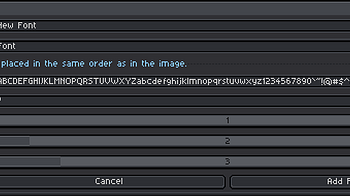
Font name This name will be displayed in the Write Tools font selection. It also defines the filename of the font file. Layer This selector contains the layers...
Hello! I'm Stumpy the Squirrel. Let's make a game with RPG in a Box! In this tutorial, we'll create a sign that the player can interact with. As part of this, y...
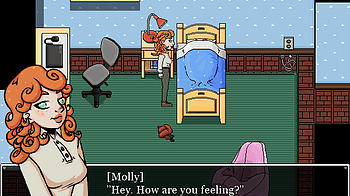
Here's the walkthrough for chapter 1 of Hell's Gate. May contain spoilers. --- After reaching the crossroad, walk left. You will see a bridge and a hut. Pick up...
A new video I made for those wanting to dip their toes into Warsim but not knowing where or how to start...
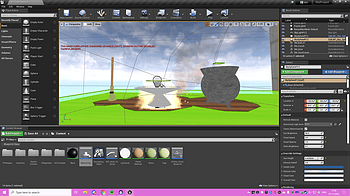
Tutorial followed: The first step I took for making my door was creating a blueprint class actor and naming it 'door'. I then added a component- static mesh, an...
Hello! I'm Stumpy the Squirrel. Let's make a game with RPG in a Box! In this tutorial, we'll create a startup script, and then test our game with Quick Play. A...
Hello! I'm Stumpy the Squirrel. Let's make a game with RPG in a Box! In this tutorial, we'll create a grass tile, and then make a map with it in the Map Editor...
Hello! I'm Stumpy the Squirrel. Let's make a game with RPG in a Box! In this tutorial, we'll create a startup script, and then test our game with Quick Play. A...
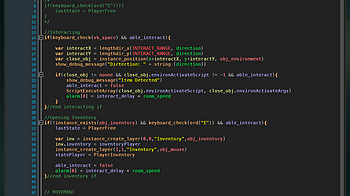
This week we'll cover the basics of state machines and how to utilize them in your project. A State Machine is defined as a device that can be in a set number o...

Yes, we know that feeling when we press our favourite game and it just gets stuck for no reason until the end of time, but you're not alone! StrxwberryBliss is...
1 file
"Help! How do I update BeatCubes via the itch Desktop App?" We know - Follow this tutorial!...
How to use Install instructions If you haven't already done this, follow the steps below to add the Add Font script to Aseprite. Extract the ZIP file Open Asepr...
1 file
Hello! I'm Stumpy the Squirrel. Let's make a game with RPG in a Box! In this tutorial, we'll create a walk animation for me in the Voxel Editor. It's simple to...
Hello! I'm Stumpy the Squirrel. Let's make a game with RPG in a Box! In this tutorial, we'll create a grass tile, and then make a map with it in the Map Editor...

The game is fairly simple, but still, here's a walkthrough! ▬▬▬ Ending 4 During the second choice, pick "Keep trying" Ending 3 During the second choice, p...

Hello, little droplets!💧This is Pri! I was thinking of making a walkthrough at some point but decided to make it now since a few players let me know they wer...

Hello! I'm Stumpy the Squirrel. Let's make a game with RPG in a Box! In this tutorial, we'll create a walk animation for me in the Voxel Editor. It's simple to...

Thanks for playing! All endings / achievements can be reached as follows: To reach Marta's Ending , have an even balance of sweet and salty snacks in your pocke...
3 files
Hello! I'm Stumpy the Squirrel. Let's make a game with RPG in a Box! In this tutorial, we'll create an idle animation for me in the Voxel Editor. Let's get star...

(This is basically just a copy/paste of all the advice I've been sent over the years on all my projects, so some comments will reference some of my other games...
I figured I'd try and post a walkthrough ASAP to make it easier for anyone who is trying to unlock all the CGs and reach all the endings :3 It's relatively easy...

(This is basically just a copy/paste of all the advice I've been sent over the years on all my projects, so some comments will reference some of my other games...
Alrighty, so I figured I'd make a guide thingy for anyone who wants to unlock all the endings and CGs :3 For the most part, it's pretty easy! It's just one of t...
Loading more posts...